Steffest Digitale Pulptuur

2015

3 berichten

Physical buttons for your Sonos

I totally love my Sonos system.
The Sonos players are expensive but they are worth every penny and i haven't regretted any of my Sonos purchases for a minute.

There's one thing missing though ... hardware buttons!
Even as a smartphone or tablet to control your appliances is perfect (remember 2009?), sometimes you just don't have your smartphone ready at hand and you find yourself hunting for your smartphone to control your Sonos.

Yes, each Sonos has some hardware buttons, but they are only used to play/pause the current song, or to adjust the volume of that particular player.

Enter D.I.Y.
I'm a big fan of old tube-based radio's. If they are not too far gone they get repaired, otherwise they just look cool.
One particular little radio-bugger was beyond salvation and received another purpose: controlling the Sonos with some presets, volume and play/pause with its old-school tactile click-clack buttons.

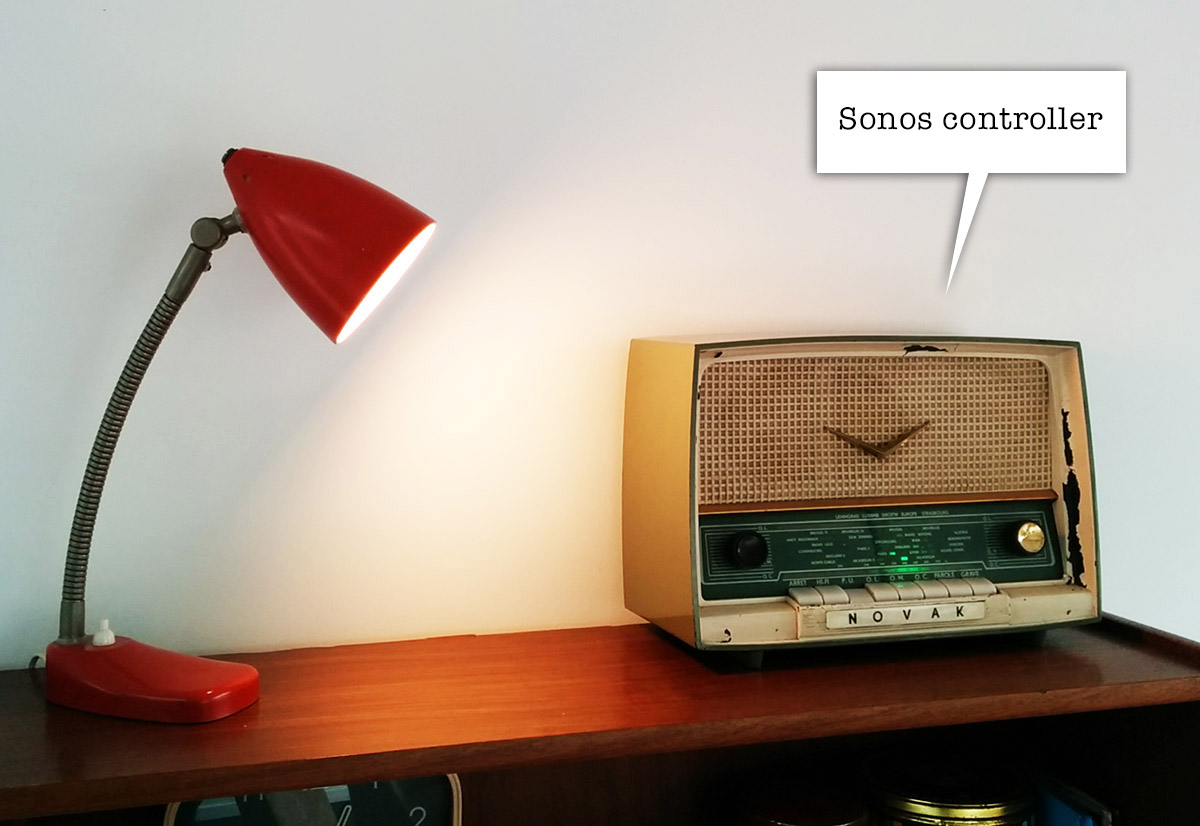
The final contraption looks like this:
Sonoscontroller main

very incognito. looks like a radio, no?

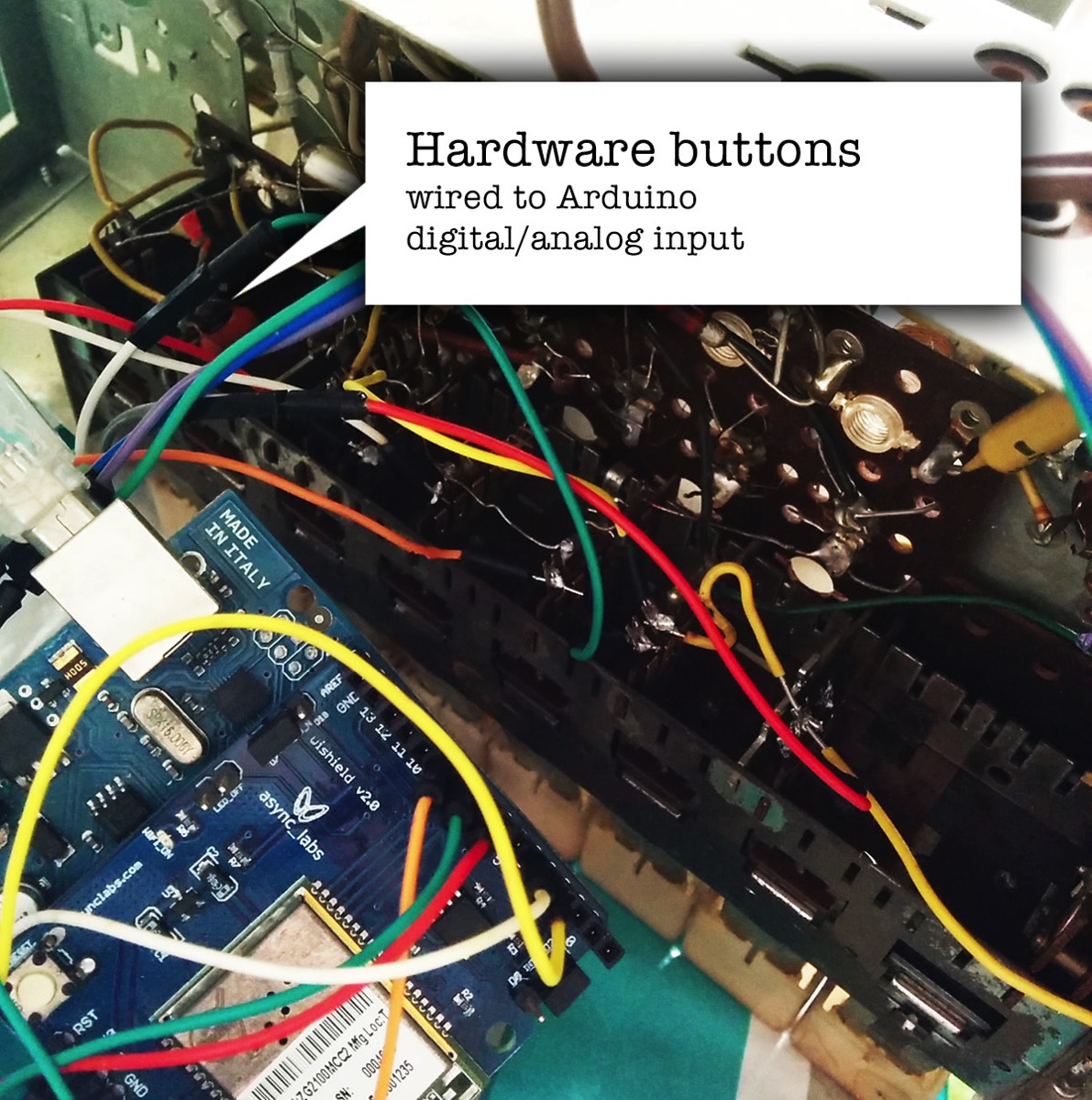
On the inside the buttons are wired to a little Arduino.
When you press a button or turn the volume knob, one of the digital or analog inputs of the Arduino is activated, allowing you to define a resulting action in software.
Sonoscontroller hardwarebuttons


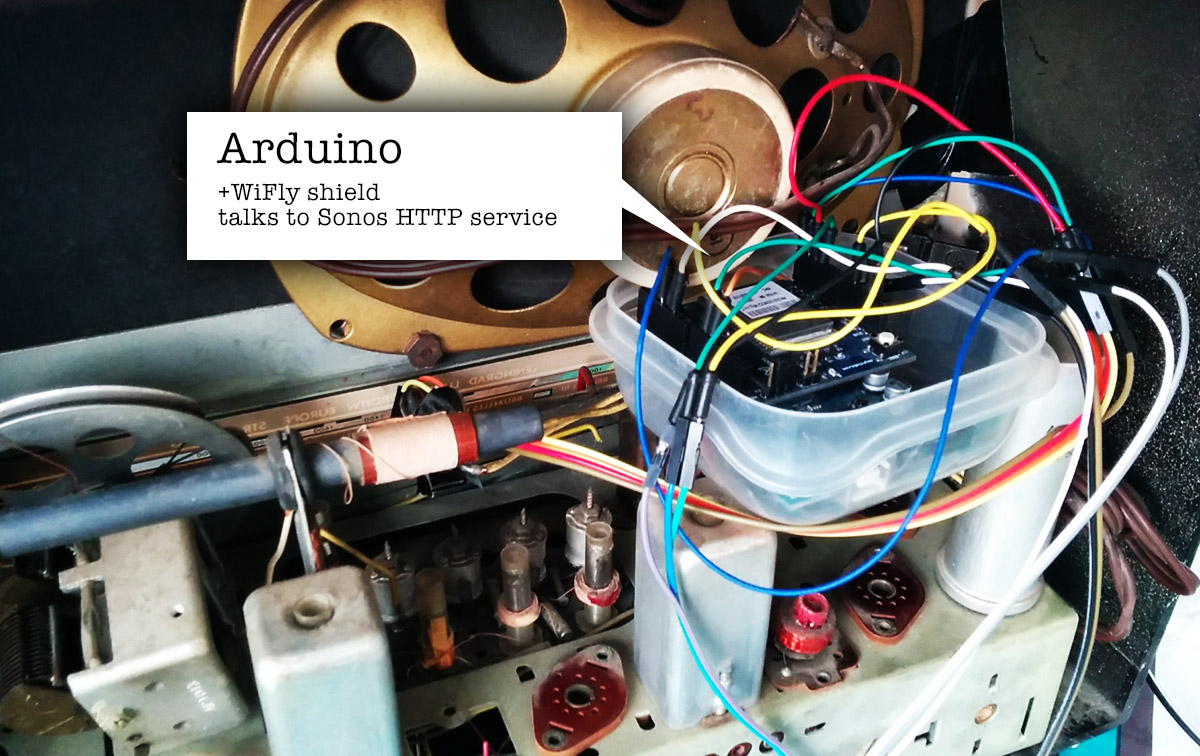
There's a little WiShield attached to the Arduino allowing it to communicate over wifi with other devices.
Although it's possible to talk to the Sonos devices directly using the UPnP protocol, it's easier to use a some sort of middleware like the excellent Sonos Http Client by Jimmy Shimizu .
Sonoscontroller arduino


The WiShield is rather old in terms of IT-gadget-age and its libraries are not compatible with the current generation of Arduino IDE.
I had to patch them a little to make them work on Arduino 1.x and up. You can find my fork here.

The little Arduino sketch that controls everything is also on my GitHub.

A little status led completes the setup, giving some feedback on your actions.
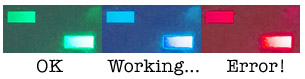
Sonoscontroller colors


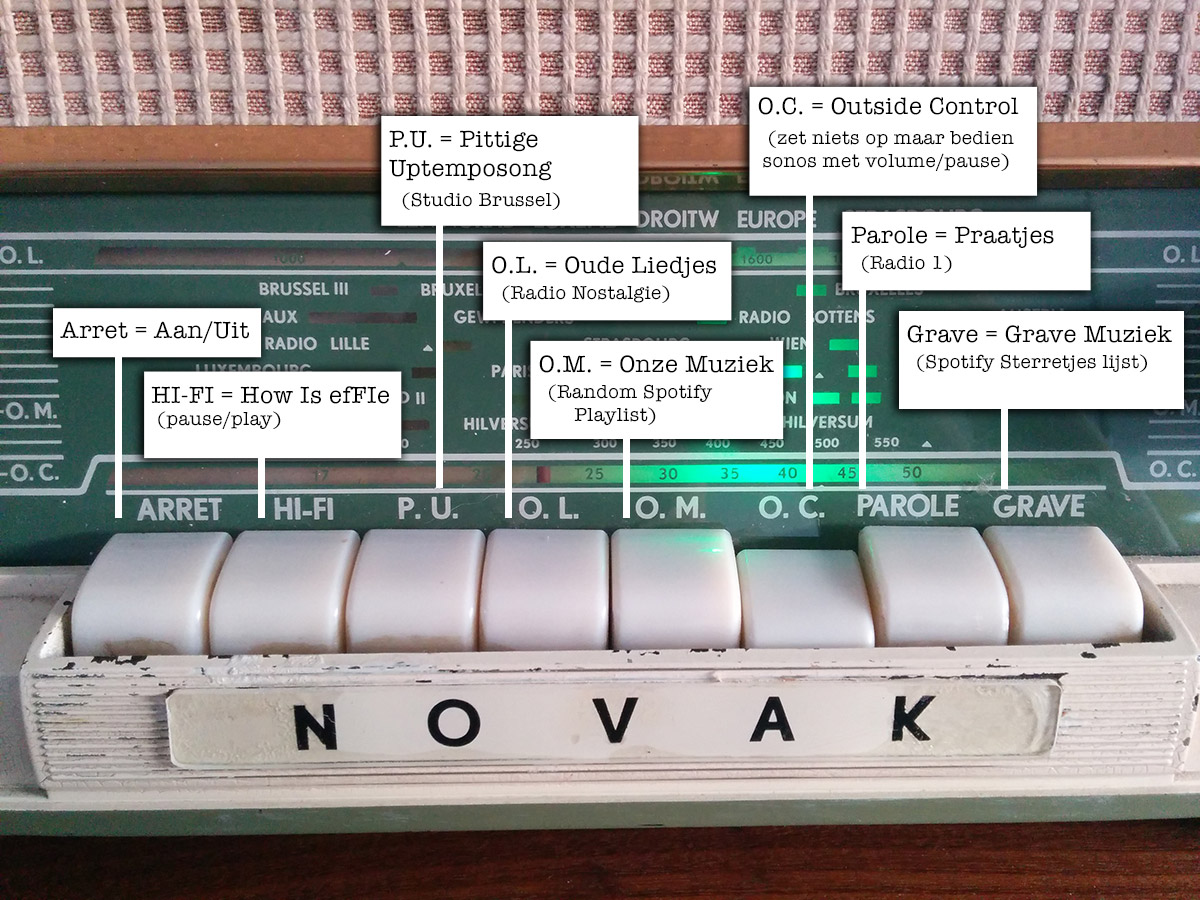
With the radio buttons i can now activate the 5 presets we use the most, change the volume of the grouped sonos speakers and pause/play everything.
The presets are currently 3 radio stations (Studio Brussel, Radio 1, Radio Nostalgie), the Spotify favourite list (starred tracks) and a random Spotify playlist.

Due to some wonderful coincident the labels of the buttons also EXACTLY match the preset they trigger:
Sonoscontroller button map

How convenient!

The concept is a bit hard to explain to people who don't have a wireless speaker system.
Most of the time they just stare blankly and go
"Uhm ... so you've build a radio that you can use to ehm ... turn on the radio? ... Ok ... cool ..."

Exactly!
Just like software controllers as Ableton Live end up up creating matching hardware controllers with LOTS of buttons, let's hope this is the start of a trend.
There's nothing like the feeling of pressing a big chunky button down and make it go *CLACK* , far more satisfying than using the non-tactile buttons of a touchscreen controller ... .

Hmm, I still have this thing somewhere in my garage ... what still needs controlling?


Arduino, in English, Programming, TinkeringReacties (3)
Stieviewtniemier

Flauw zenne ...
Het was natuurlijk te verwachten maar de naïeveling in mij blijft natuurlijk denken dat moderne mediabedrijven iets van community communicatie afweten.

Niet dus.

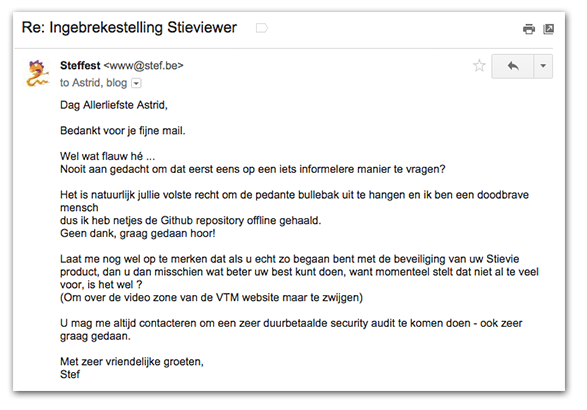
Vandaag een officiële ingebreke stelling in de bus i.v.m. de stieviewer.
Het volledig document is hier te vinden.

Het is natuurlijk hun volste recht om de pedante bullebak uit te hangen.
Jammer dat ze dergelijke initiatieven vanuit hun eigen gebruikersgroep zo aanpakken.
Afin - whatever.
Ik ben natuurlijk nen doodbrave mens en heb netjes de Github repository offline gehaald.
(En dan had ik mijn Stievie-recorder nog niet eens gereleased :-) )

Mijn Stievie account is trouwens niet geblokkeerd.
Die 10 euro per maand ... die willen ze dan weer wel!

Gezeur, in 't Nederlands, LifelogReacties (2)

Stievie kijken op je PC en op XBMC/Kodi

Stievie is best lollig.
Het is natuurlijk ook veel te duur en bevat veel te veel gaten in de programmagids, maar als concept is het prima.
Jammer alleen dat je perse een tablet of telefoon moet gebruiken en dat je het niet met XBMC/Kodi kunt gebruiken.

Dat zal best 1 of andere rare prehistorisch reden hebben, maar zuiver technisch zal die reden niet zijn.
Ik hou niet zo van apps, zo van die dichtgesmeerde gepolijste bolletjes waar je enkel datgene mee kunt wat de appmaker wil dat je kan.
Waarom kan niet gewoon alles wat meer open en flexibel zijn zodat je het beter kunt afstemmen op je eigen wensen?

Natuurlijk kan dat wel!
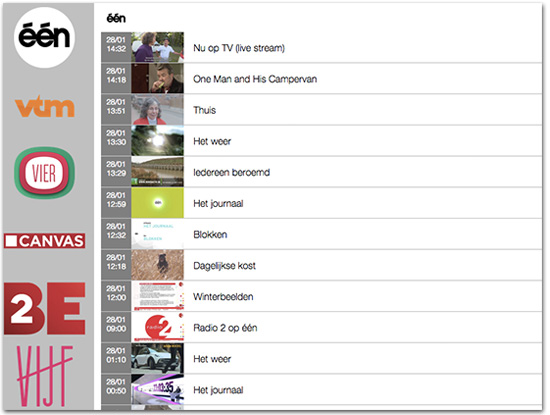
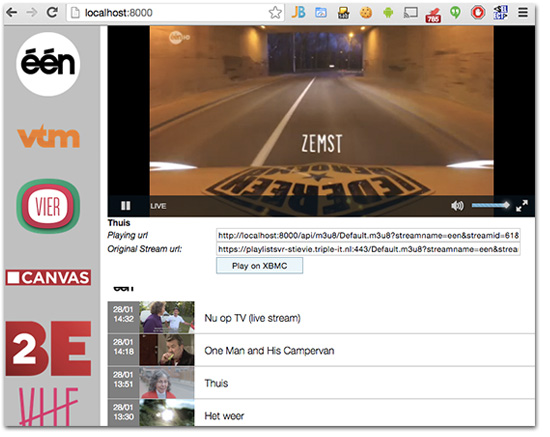
Enter de Stie-viewer: een webapplicatie die je lokaal draait en waarmee je alle programma's die op Stievie staan gewoon in je browser kunt bekijken.
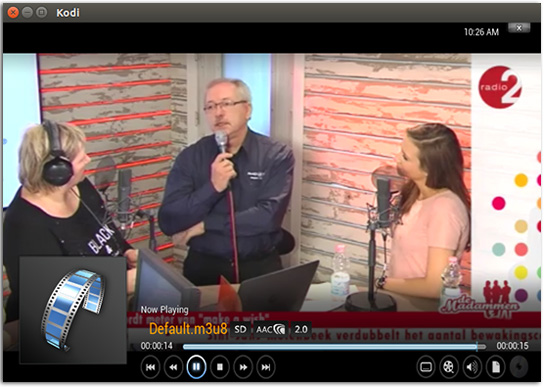
Als extraatje zit er een kleine XBMC/Kodi component in waarmee je een programma ook op XBMC/Kodi kunt afspelen.

Je vindt het op https://github.com/steffest/Stieviewer

Het is dus NIET iets waarmee je zomaar de Stievie beveiliging kunt omzeilen:

  • Je hebt nog steeds een geldige Stievie account nodig
  • Je kan nog steeds niet op meer dan 1 toestel tegelijk kijken
  • Je kan geen programma's bekijken die niet op Stievie beschikbaar zijn (die uitgegrijsd zijn of meer dan 7 dagen oud zijn)

Kortom: Bekijk het als een onschuldig scriptje dat Stievie iets aantrekkelijker maakt, niet als iets dat bedoeld is om Stievie te ondermijnen.
(Met andere woorden: don't sue me, i'm not attacking your product, just presenting some added value :-) )

De installatie is wat geeky: je hebt node.js nodig. Als je dat nog niet geinstalleerd hebt, vind je dat op http://nodejs.org/
Download de applicatie via https://github.com/steffest/Stieviewer - ga via de command line naar de plaats waar je het uit hebt gepakt en type

npm install

daarna kun je het starten via

node server.js

en is de applicatie beschikbaar via http://localhost:8000 in je browser.

De eerste keer dat je de Stieviewer opent dien je een geldige Stievie login in te vullen.
Je login wordt niet opgeslagen.
Ze wordt enkel gebruikt om de Stievie authenticatie server te conctacteren.
Daarna krijg je een access token die in je local storage wordt bewaard.

Je kan dan alle zenders doorbladeren en het programma in je browser bekijken. Vermits de meeste browser het video formaat van Stievie niet gebruiken, wordt er op de meeste browsers een flash-fallback gebruikt om de video af te spelen.
Je kan natuurlijk ook de url van de video stream kopiëren en bv. afspelen in VLC of QuickTime.

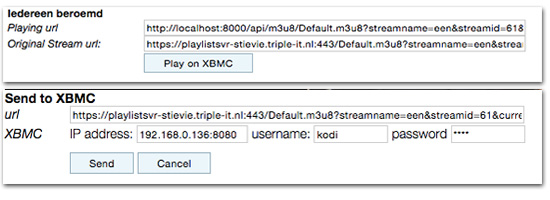
Wil je het programma via XBMC/Kodi bekijken dan klik je op "Play on XBMC".
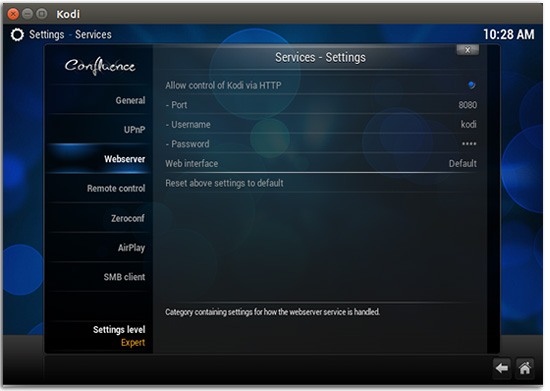
Kijk dan wel eerst even na dat je de http interface van XBMC hebt aanstaan.

Je vult het ip adres en poort van XBMC in, samen met je login en paswoord en klikt op "Send".


Daarna heb je je PC niet meer nodig: XBMC speelt rechtstreeks de video af vanuit Stievie.


Hoe werkt het?
Je start via Node een lokale webserver op.
Deze doet zich voor als echte "Stievie App" en communiceert met de Stievie server om alle gegevens op te halen.
Daarna verpakt de applicatie deze gegevens een beetje anders zodat je er iets mee kunt doen in een webbrowser.
Om de video af te spelen wordt (meestal) Flash gebruikt.
Om de Same-Origin restricties van een webapplicatie te omzeilen wordt alles via de lokale webserver gesluisd zodat Flash de video kan afspelen.

XBMC/Kodi kan (sinds kort) ook Http Live Streaming videos afspelen, maar heeft blijkbaar nog wat moeite met Adaptive Streaming.
Daarom wordt er op het moment dat je iets naar XBMC stuurt eerst de HLS index playlist opgevraagd en wordt de eerste "echte" playlist die daarin staat naar XBMC gestuurd ipv. de adaptive playlist.

Meer info en de volledige broncode vindt je op https://github.com/steffest/Stieviewer
Het is nog wat ruw en niet echt bedoeld als gepolijst product voor de eindgebruiker, maar toch al bruikbaar.

De Stieviewer is op geen enkele manier gerelateerd met Stievie, Medialaan en/of Triple-IT.
Enjoy and be nice!

in 't Nederlands, Media center, Programming, ScriptingReacties (9)