Bekijk terug alle berichten.
Naphta
Another demoparty, another demo ...
I made NAPHTA!
Released at RSYNC 2025.
An OldSkool demo for Amiga OCS inspired by a live performance I attended and captured of NAFT, a Belgian Live Analog Techno band.
The music is partially based on,
or at least HEAVILY inspired by "Paroxysm" by Naft.
If you want to check out the MOD file -> here in Bassoontracker.
It
runs on an Amiga 500 with 512k fast ram or beyond.
Technically, it's a big step up compared to my previous
production, but still: baby steps.
I really wanted to use assembler, but progress was just too slow.
I
got to the point where I could load some graphics and put them on a custom screen in assembler.
Yay! almost a
demo! But then each additional step took another week of dabbling and tinkering.
Deadline Rsync was approaching, so I made the executive
decision to move back to C.
Hardware banging this time.
I found this YouTube series "Amiga hardware
programming in C" that I could wrap my head around, and it gave me some much-needed direction.
Thanks Wei-ju
Wu!
Another "aha moment" came when Gigabates explained what the copper actually does, and - in essence -
how simple it is.
He said "For graphics, you can think of the copper as timed palette changes: You just wait for
a certain position on the screen, and then you can set any color index to any color, and then it will use that color
from that position going forward"
"Ping! ..."
Ooh!!! I can do something with that!
I started some experiments to have a patterned image
on screen. the image stays static but when you start switching colors, you can target each pattern section
individually and give it a unique color, circumventing the usual 32 color limit.
This is of course a well known
"copper chunky" trick, but I found it interesting that each "pixel" doesn't have to be square, it can be anything
you want.
This formed the basis of most of the effects in Naphta. (can you call them effects?)
I aimed
for some sort of stained-glass visual.
To keep things simple, I used horizontal patterns in 16 or 8 colors, so I
could avoid swapping colors midway on a scanline.
Also, I stayed away from color 0 to avoid having to reset it
each line when entering the overscan areas.
Yeah.... not the most hires copper-chunky, but it was a nice
experiment and usefully to wrap my head around the copper.
This is the image for the soft pixel blur
anims. The picture doesn't move, the animation is just the copper, setting palette colors like crazy.
The
"slowness" is not the copper, by the way, it's the C code that has to calculate the correct copperlist index of each
position. I probably should/could precalculate that too.
I'm still largely clueless in C-land. I really should dive into BartMans toolchain and set up a proper
monitor/compiler.
But even now:
Boy, oh Boy, oh Boy, now I FINALLY understand why everybody loves those
custom Amiga chips.
What a beautiful system.
Another interesting bit - Or at least I though so -
was the use of the music to drive the timing of the effects, and not the other way around.
I'm using the
excellent PTPlayer replay library and this supports
reading out the "E8" command.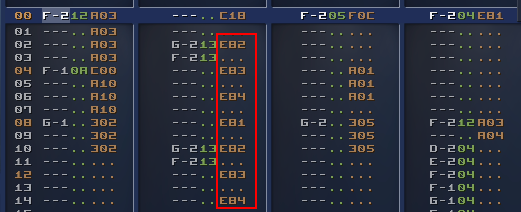
This way you can let the music
control which part of the code should be triggered, and you still can use all the Fxx commands you like to set the
music speed.
Double handy in my case as I don't have a clue how fast my code runs (I know it's sloooow though
:-) ) and often routines take several frames to complete, so having an external thingie to keep the timing is
nice.
And a third concept was that I got somewhat obsessed with "transparency" on Amiga.
Fact is:
transparency doesn't exist on Amiga OCS but ... we have bitplanes!
Bitplanes are layers stacked on top of each
other, and you can use that to "fake transparency" if you reduce the color count.
For example this scene uses 5
bitplanes, 32 colors.
The first 3 bitplanes are the base image in
8 colors.
Then the spotlights are on bitplane 4, forming colors 9 to
16.
So if you set those colors to a slight variation of the first 8 colors, you get
the impression of a transparent layer.
And we still have 1 bitplane left, so we can repeat this trick on
bitplane 5, forming the colors 17 to 32, giving the impression of 2 transparent layers.
The
way the display works on the Amiga is that each bitplane is "just a chunk of memory".
You can just point to
other memory sections if you want to display something else so you don't have to copy things around.
This means
that scrolling a bitplane is just "setting the pointer to the address of the row below".
This is trivial if you
know it, but it took me quite some time to switch my mental model of a "a screen is something you draw to" to "a
screen is just a display of several memory blocks".
Once you make that switch, suddenly you realise you can do
some pretty cool tricks.
Combined with the careful palette mapping, you then get - for example - the appearance
of a semi-transparent layer that is moving on a background.
Some key takeaways for future productions:
- Having a good build system is important. It's nice to be able to compile/run/test with a single click and to be able to iterate fast. Hooray for emulators!
- There's something fishy with my areafill code ... it sometimes barfs on low-spec machines, and it's way too slow. I mean: if I ever want to go 3D, I have to draw triangles, right ?
- I like the "progressive enhancement" approach. It still should run on a stock 500, but if a faster machine is detected, it might as well use it and swap to higher quality music/graphics.
- The "add21" command that EXE2ADF adds, causes a Guru in vAmiga (and only there?, weird) -> TODO: investigate because 21k extra chipram is most welcome.
- I should investigate trackloaders or find a way to load stuff from disk without blocking the main thread. Currently, I load EVERYTHING at the start which takes a stupid amount of time. Using compression tools like Shrinkler solve the disk-issue, but also cost a lot of time and memory, which maybe is not the best tradeoff.
- and again: assembler is the way if you want any kind of performance...
- even more important, maybe, is understanding how many cpu cycles each operation costs. an obvious one is: avoid mutiply/divide, unless it's by a factor of 2, and you can use bit-shifting. (and even bit-shifting is not free), so: I really need a way to measure these things to know what to avoid.
In general: I feel I'm just scratching the surface, still so much to discover and to learn, and making small
productions like this is an excellent way to do so, so ... on to the next one!
Source code is on
https://github.com/steffest/naphta/
Some more background info:
Tools Used:
Graphics:
Based on
live footage from the band "NAFT"
Images where first sketched on paper and then produced in PhotoShop, including
the Generative Fill tool, so I guess they are not AI free.
So yeah: those nice smoke effects are generated, not
pixelled by hand.
Images were finalized and pixel optimised in Dpaint.js.
Some chunky-pixel animations were taken from Giphy.
Music:
The main theme and some samples where lifted from the song "Paroxysm" by Naft using
various stem-splitting tools.
The mod file was composed by hand using BassoonTracker:
The disk version of naphta uses a
lower-quality compressed mod file to make it fit on a single disk and in 512k chip ram.
Code:
Home-cooked hardware banging C.
Compiled with SAS-C on the Amiga (but written in
modern editors)
Tags: Commodore Amiga, in English, ProgrammingGeef je reactie (0)
Amiga Arcade
New project!Turn an old iMac into the Ultimate Amiga Game Experience
More info, images and downloads @ https://www.amigaclub.be/projects/arcade Tags: Commodore Amiga, in EnglishGeef je reactie (1)
Ordo
I went to my first "demoparty" this weekend.
RSYNC in Leuven , hosted by some random scrubby guy called fRAnKY.
It's super amazing how many super amazing people can be at the same place at the same time!
Of course a demoparty is only a demoparty if you release a demo, and I didn't want to show up empty handed.
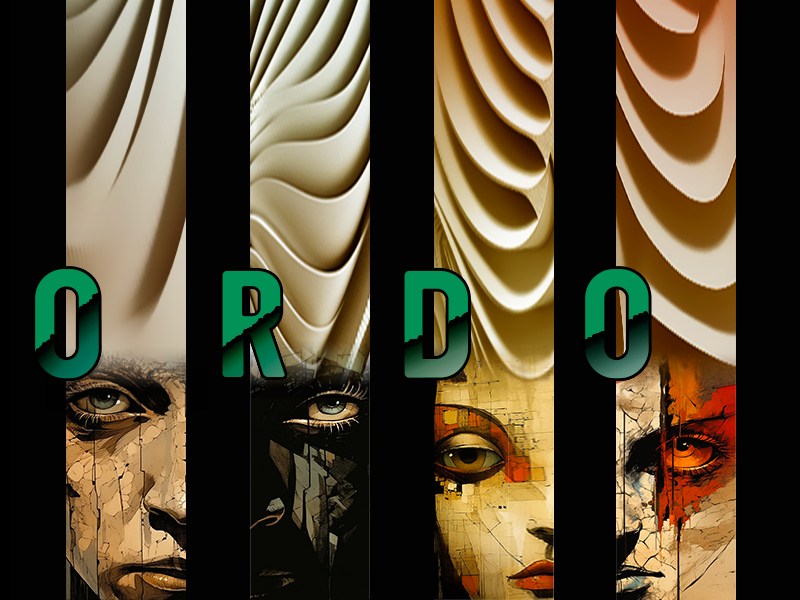
I made "Ordo", a visual story about the endless cycle of ORDER and CHAOS.
The first demo out of my own kitchen.
Mostly a glorified slideshow, though ...
I had the naïve idea to write it in system friendly C code and compile it on the amiga itself.
I know nothing about c and still don't - but it was a fun exercise.
In the end I only figured out how to do 2 things without crashing: how to blit pieces of bitmaps on the screen and how to change colours, so that's what I went with.
No sprites, no bobs, no copper, that's for the next one!
Downloads on https://demozoo.org/productions/335741/
Here's the video
Should run on any Amiga with at least 1MB of chip ram.
(That's because I'm lame and don't know yet how to do proper memory management or compression on Amiga)
And there seem to be some severe audio/video sync issues on some systems 😕
(That's because I'm lame and I have no idea how to keep 2 seperate processes in sync on Amiga)
Just scratching the surface and so much still to learn, but boy, what an interesting machine, that Amiga ... right ?
Tags: Commodore Amiga, in EnglishGeef je reactie (2)
Amiga DFunk
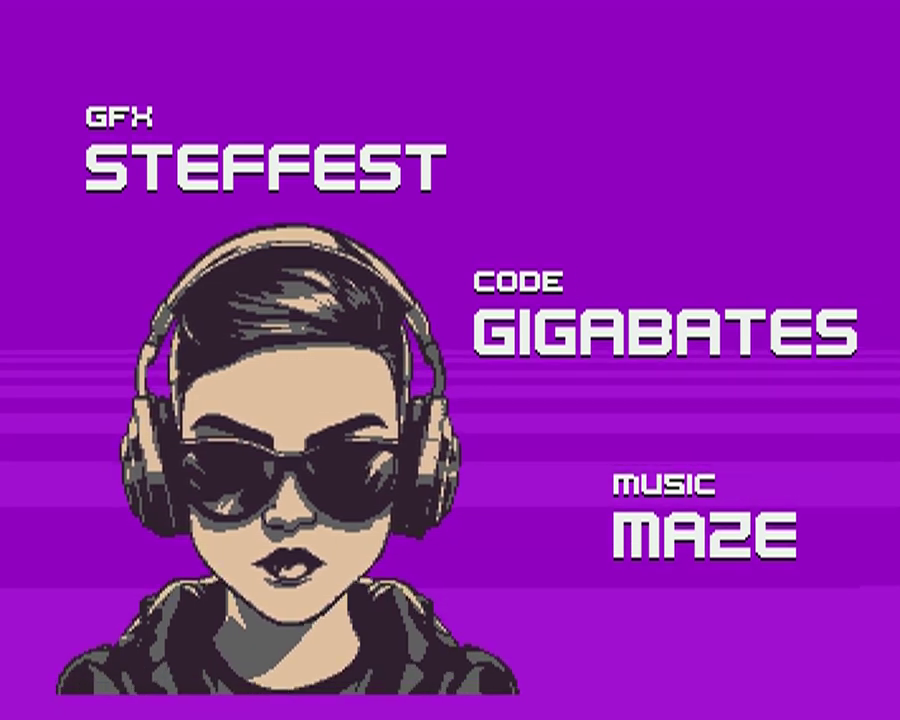
For those unfamiliar with the demoscene, it's a geeky gathering, usually with some friendly competition, to show off creative and technical skills by making "demos": a short media production combining graphics, music and cuttin edge programming into 1 showcase.
Specifically in the retro computer scene, it's also a continuous quest to see how far you can push these wonderful machines and to make them do things never dreamed possible.
We opted for a 64kb "intro" for the Classic Commodore Amiga 500 - a personal computer released in 1986 with 1MB of total memory and a humble CPU running at 7mhz. (basically: a computer that is a thousand times slower then your current phone)
mA2E came up with this funky tune, I did the graphics, GigaBates coded the effects and made it all happen.
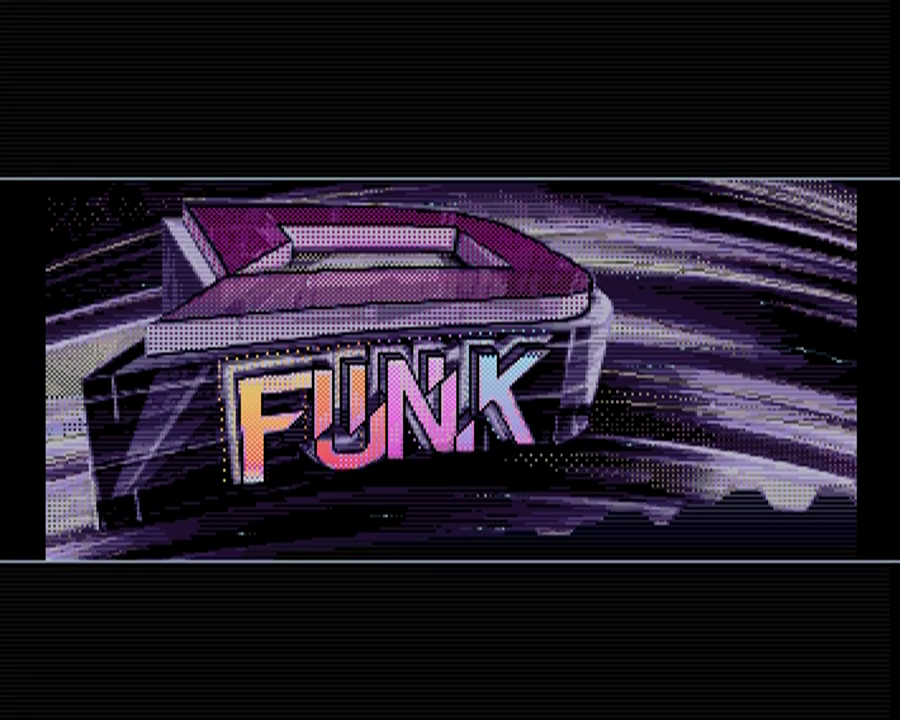
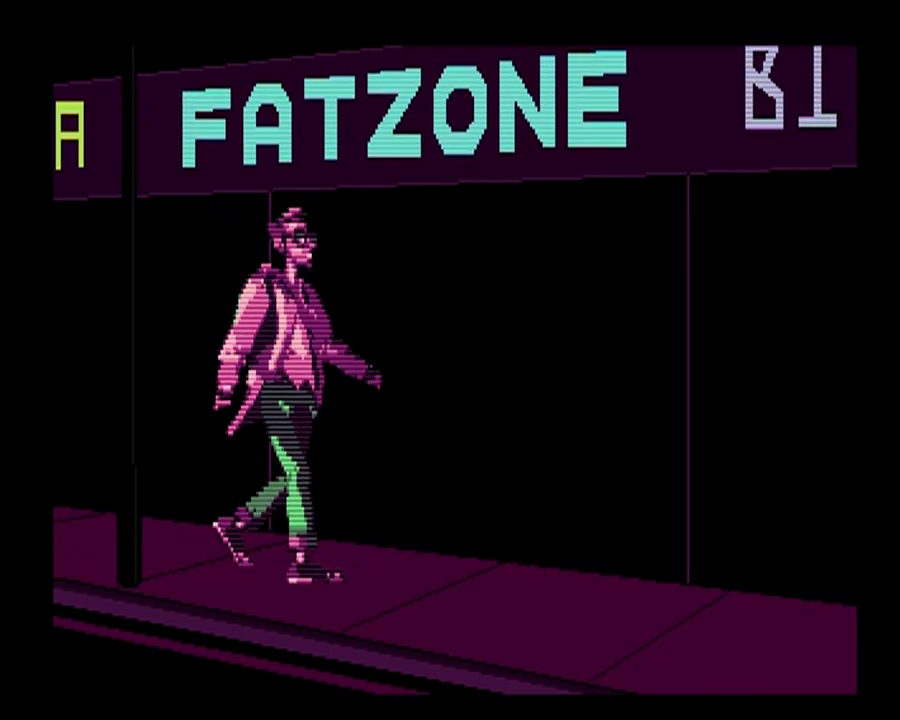
Some screenshots:
 |
 |
 |
And here's a video capture of the demo.
- Can we reduce the colour count even more?
- Can we half the height and double it again in code while palette-shifting it, without sacrificing too much detail?
- Can we replace some parts with copper lines?
- If we loose the dithering, it compresses 1kb smaller, is that worth it?
- Can we optimize the palette even more to squeeze out those last few bytes?
- Nobody codes directly on Amiga anymore: it's all cross-compilation.
- Writing your own tools pays off: this is such a niche of a niche, that general purpose image software just isn't up for the job.
Being able the add the stuff I needed to my https://github.com/steffest/DPaint-js was super helpful to quickly iterate and get the most optimal results possible.
So: colour cycling, fine-grained palette controls and frame based animation will be part of the next release. - Hats off to GigaBates: I made rough versions of my ideas in JavaScript that need a modern browser and a multi-gigahertz CPU to run, he was able to transform that into super optimal assembler that runs on a standard 7mh Amiga 500 ... impressive!
That was fun, let's do it again!
PiStorm32-lite for the Amiga 1200
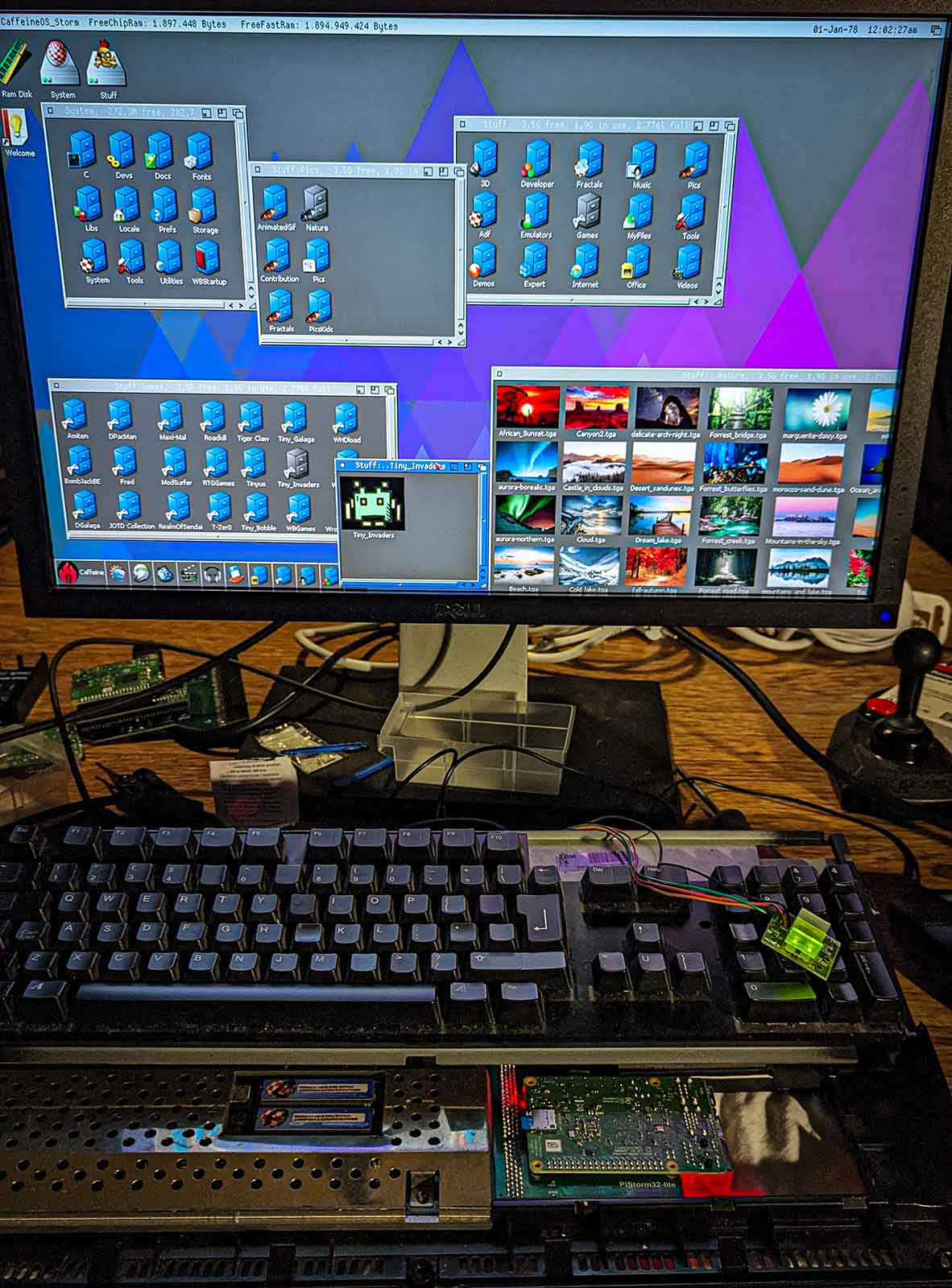
The trend of enhancing retrocomputers with new hardware expansions is still going strong.
Nowadays we can "implement" hardware designs in software and use FPGAs and raspberry PIs to replace and improve old and aging components.
The newest star is the PiStorm32: a bridge between the expansion port of the Amiga 1200 and a raspberry PI.
This means you can use the modern features and speed of a raspberry PI to "emulate" all sorts of Amiga hardware.
The piStorm32 supports the rasberry PI 3A, 3B and 4. PiStorm is an open source project by Claude Schwarz.
I got mine from Cédric who was kind enough to produce a first batch of the PiStorm32-lite
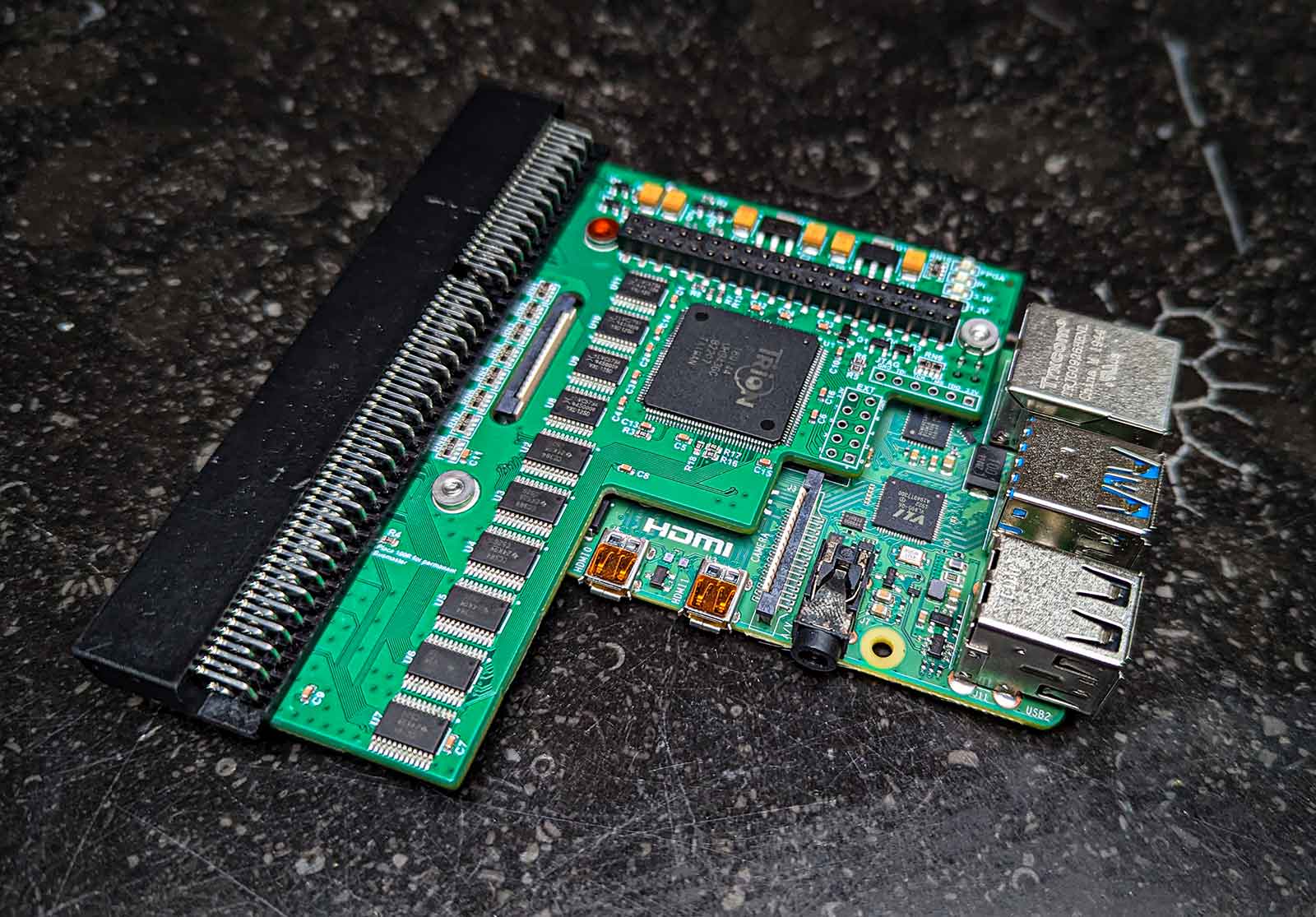
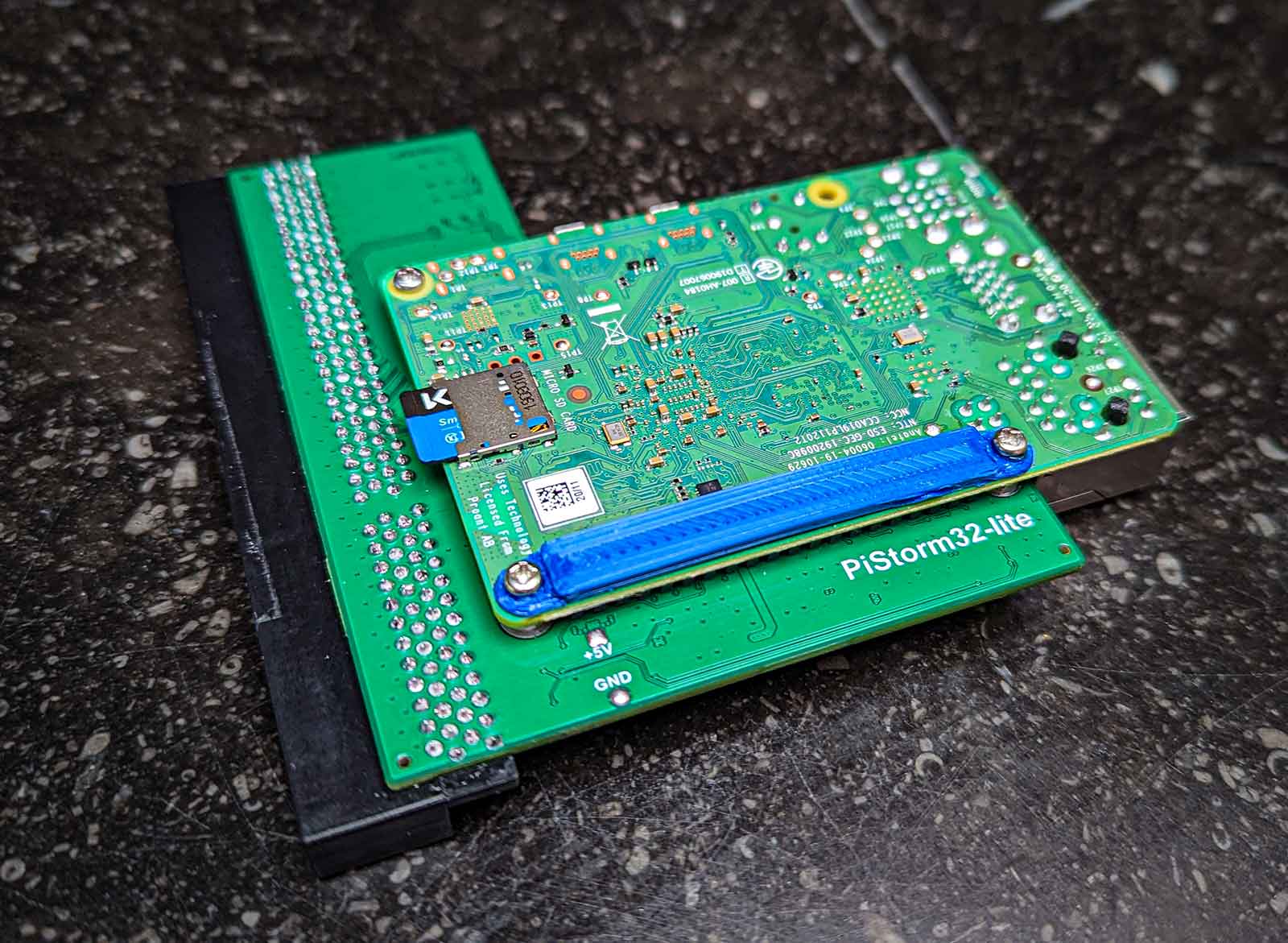
(note: the "lite" in the name doesn't mean there's a "full" version somewhere, it means the original hardware design was updated to work around the world-wide component shortage)
Note that there are 2 main ways you can use the PI in the piStorm:
One way is to run linux on it, and configure your Amiga emulation from the linux side. This feels a bit ... yuck and is a few bridges too far for me: when you switch on the Amiga, you have to wait untl the Linux side has booted for it to provide emulation services. The benefit is that you can use this linux bridge also for things like networking etc, but I feel: if you want to go that route, why not just install a dedicated emulation package like Pimiga or AmyBerry on the PI and be done with it.
The other way - much more exciting - is Emu68 - this is a bare metal 68k emulator for ARM devices. Ok, it still has to boot, but as it's bare metal, it boots in milliseconds and it's WAY faster to emulate the 68k CPU.
Emu68 is a project of Michal Schulz.
I already got a PI3A+ running in a Amiga 500 and 2000, so I mostly was interested in the potential speed increase of using a PI4. Boy ... Is was not disappointed!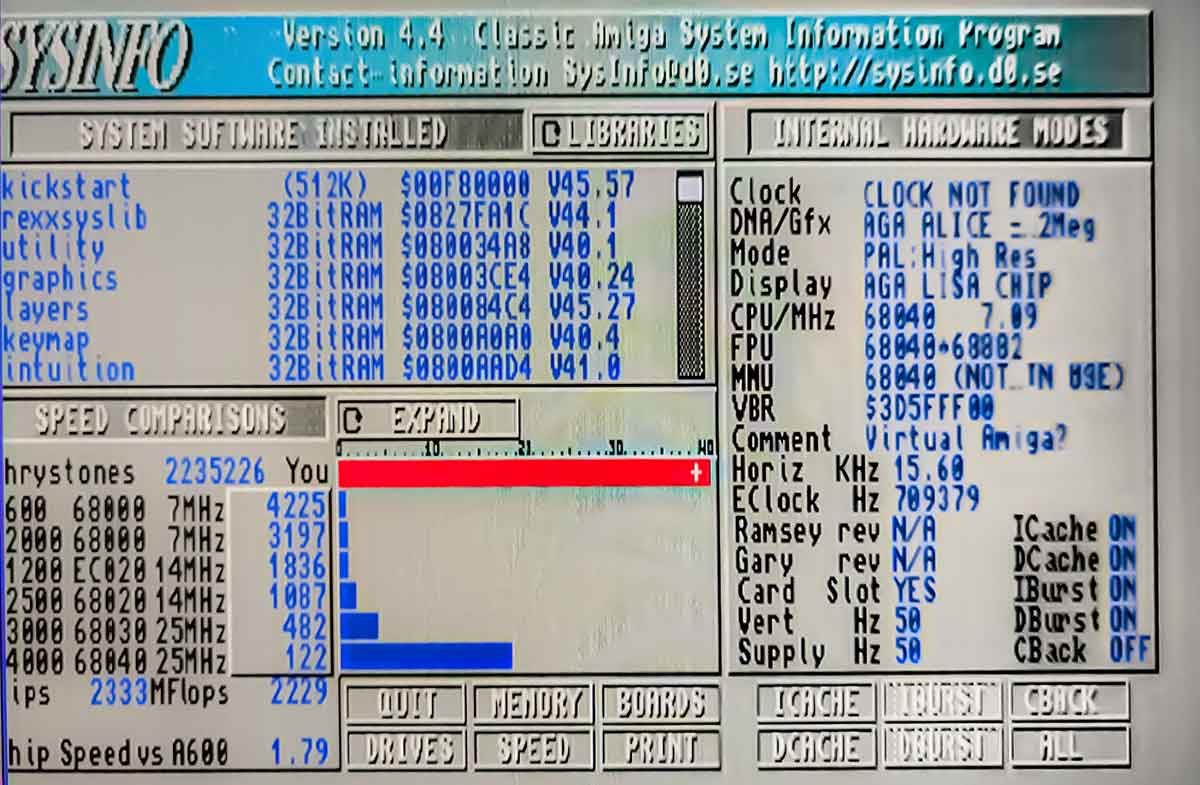
This ... thing ... flies!
Ok Ok, I know the Sysinfo benchmarks mean doodly squat whern JIT emulation is enabled but still: it does show the shear horsepower: 2333 MIPS / 2235226 dhrystones ... I've never ever ever seen such numbers.
And it's noticeable: everything seems zippy zippy fast.
It also seems the slow CHIP ram access mostly has been solved.
The fast ram is configurable and by default set to 2GB. 2GB Ram in an Amiga .... that's insane.
I really like that you can access all the settings and configuration of the PI from inside the Amiga.
From the Amiga side you also get all the tools to monitor the PI.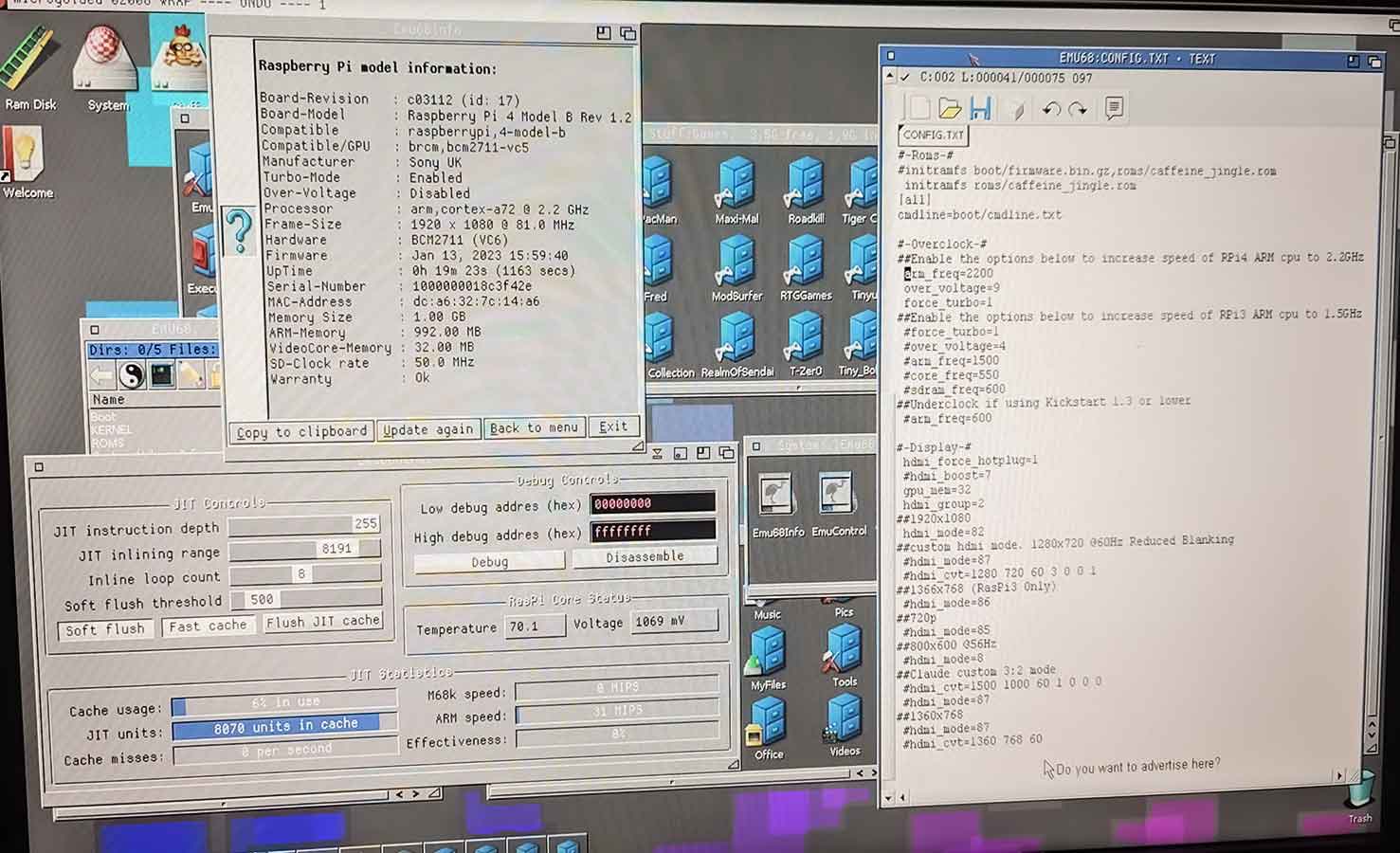
By default the PI4 runs at 1.5GHz but there's a setting to make that 2.2Ghz. (That's how I got those 2333 MIPS)
The PI runs at 70°C then - compared to 50°C cliocked at 1.5GHz. Still well within limits.
The configuration files are stored on a FAT32 partition on the SD card that you can access from the Amiga side.
This also means you can use this partition to quickly share files between the Amiga and your PC/Mac. Super handy.
One of the nice things of the piStorm, is that it acts as any other accelerator card: you can still use all the native Amiga hardware.
For example, you can still boot from your internal IDE interface, or floppy disk even. It then just provides the ROM, RAM and CPU.
If you really want to go "stock" again, you can completely disable the piStorm by holding down the reset keys while booting. Nice.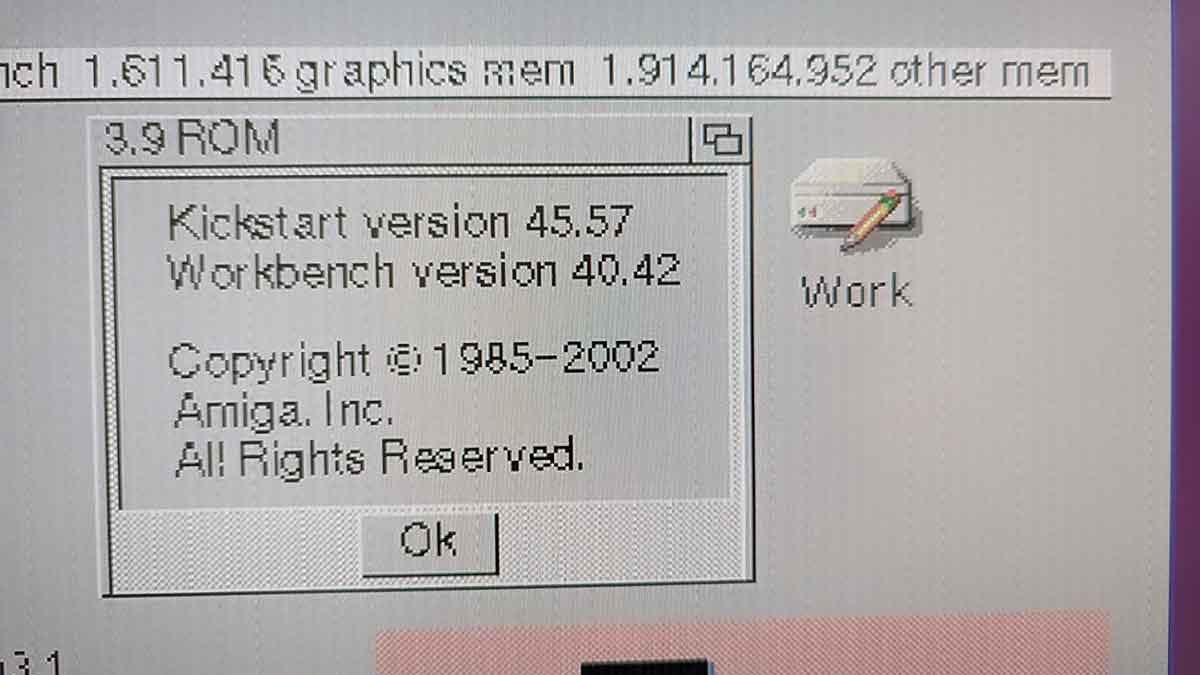
But you don't put in a piStorm in your 1200 if you want stock, of course ... you want SPEED!
Did I already mention it's fast?
MPEG and AVI video plays smoothly, decoding mp3 is hardly noticeable (in contrast to a main task that drains even a 060 CPU).
Obviously the software that gains the most of the CPU and RAM boost is the software that plays nice with the system and avoids direct hardware banging. Emulating other systems for example: these run mostly on the CPU and require some ram.
Here's the Classic MacOS 8 being emulated on the Amiga, running PhotoShop 4.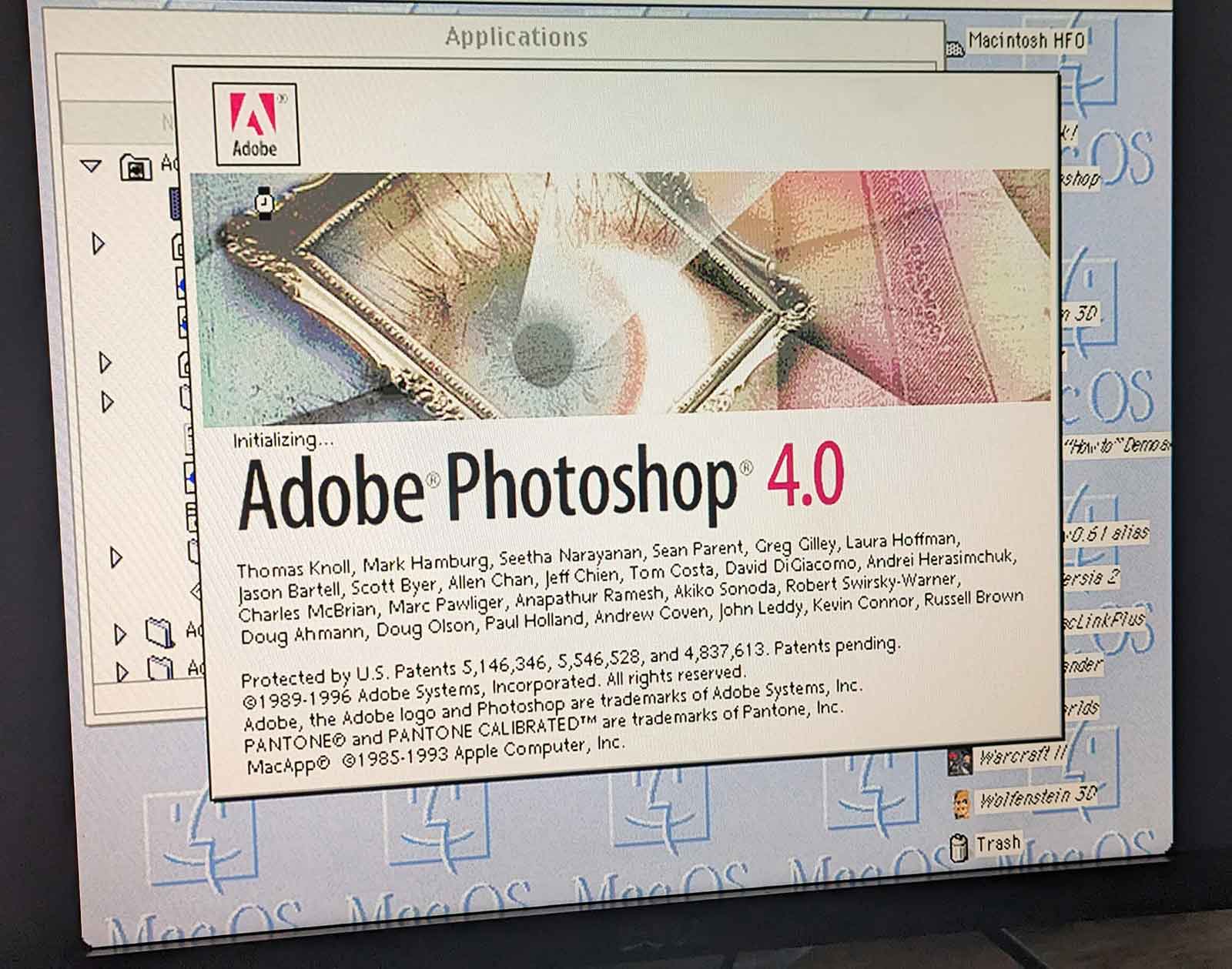
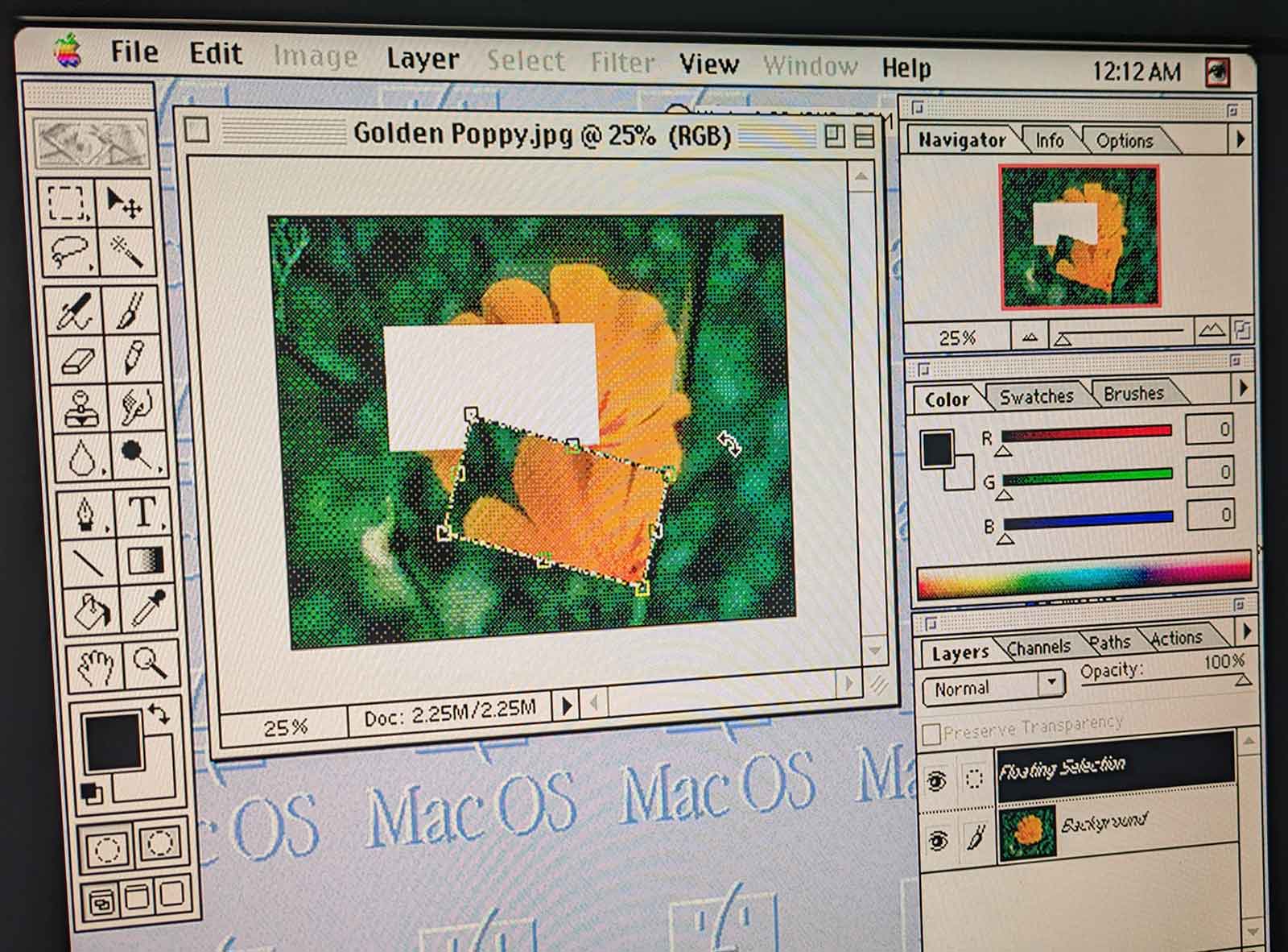
Faster then it ever was, including on the original mac hardware.
Is it all good?
No.
As with all "super accelerator cards", compatibility with hardware banging software like games and demos is not super great.
WHDLoad goes a long way of ironing out the kinks, but still I experienced frequent crashes running some games and demos.
So if you're main interest is playing classic Amiga games or watching demos, the piStorm is not your best friend.
But then again: with the kind of performance the PI delivers, it might even make more sense to run these things in an "emulated Amiga" on top the real Amiga. perfectly doable and about the only way to ensure the "hardware" is exactly era-correct and what the software expects.
Another annoying part is the cable clutter the PI introduces, especially if you want to extend the SD cards to be accessible from outside the case.
Of course, this is no different then with other cards for the Amiga 1200, but the PI can be more extreme if you want to access the regular PI ports like USB and Ethernet too. I guess it will be another round of extension cables and 3D-printing to make it all fit nicely.
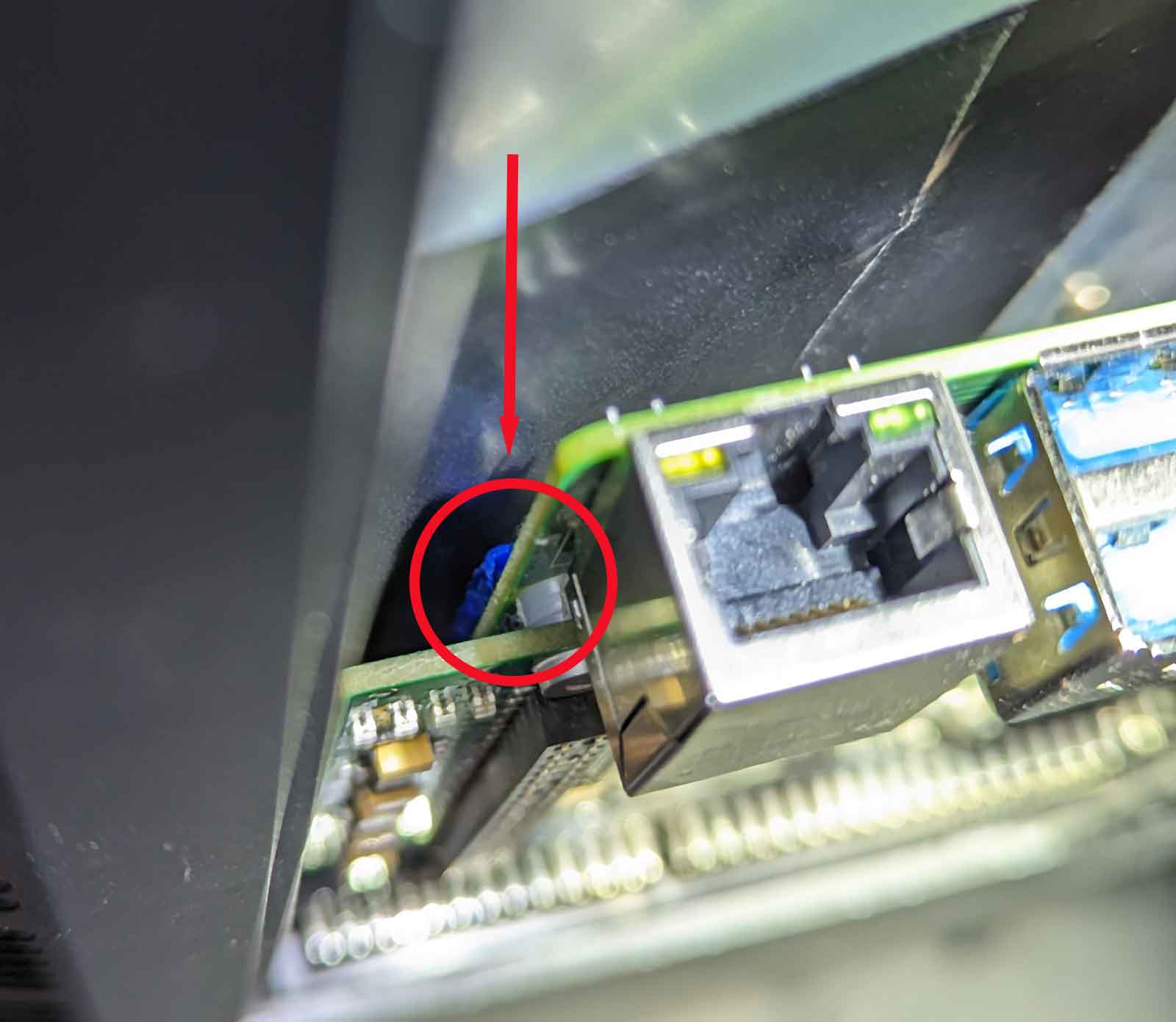
About 3D printing: the PI3 has plenty of space, but the PI4 pushes a bit against the trapdoor it 's closed.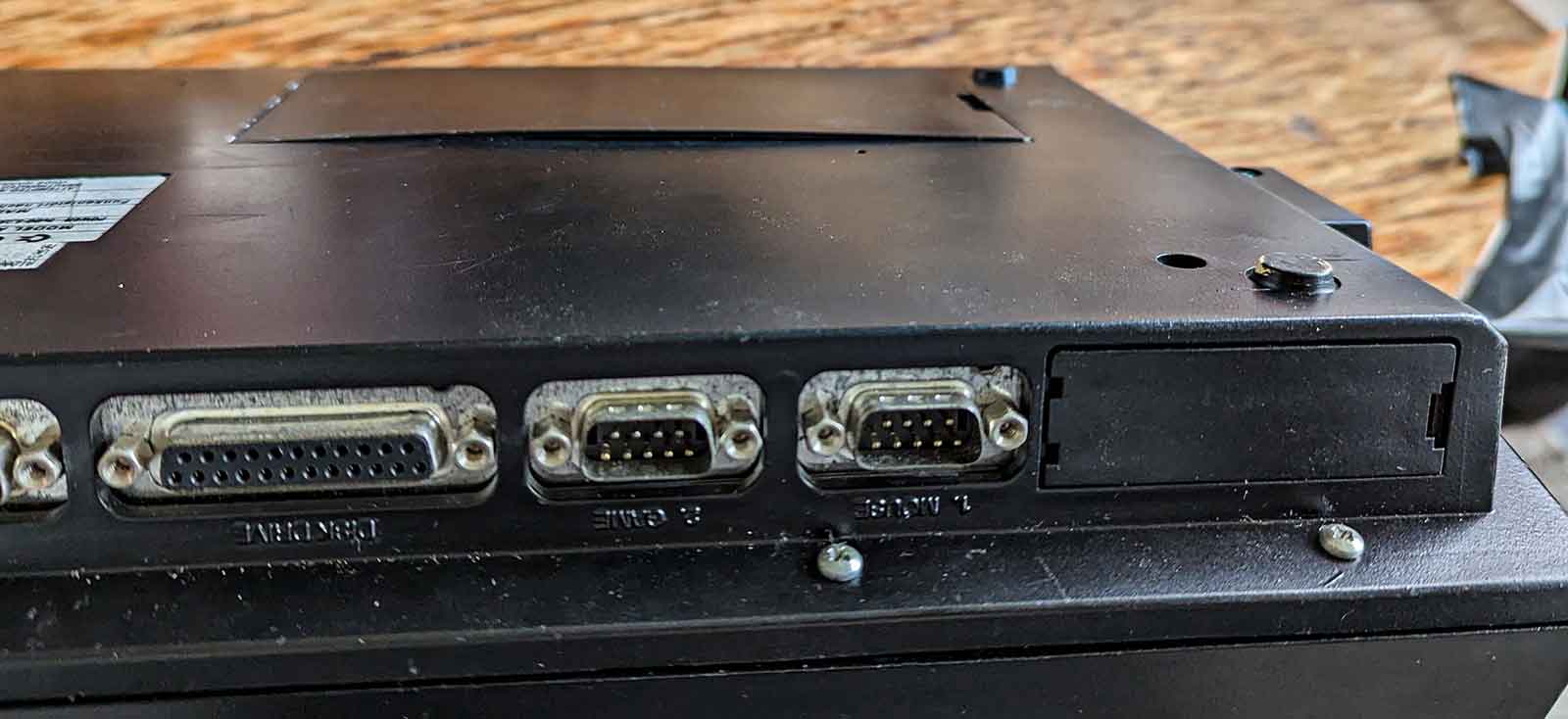
I guess designing and printing a trapdoor that gives a bit more space and ventilation for the PI is a good idea.
Likewise, the PI GPIO pins are VERY close to the metal of the Amiga keyboard. For that reason it's really recommended to put some extra insulation between the metal keyboard plate and the PI.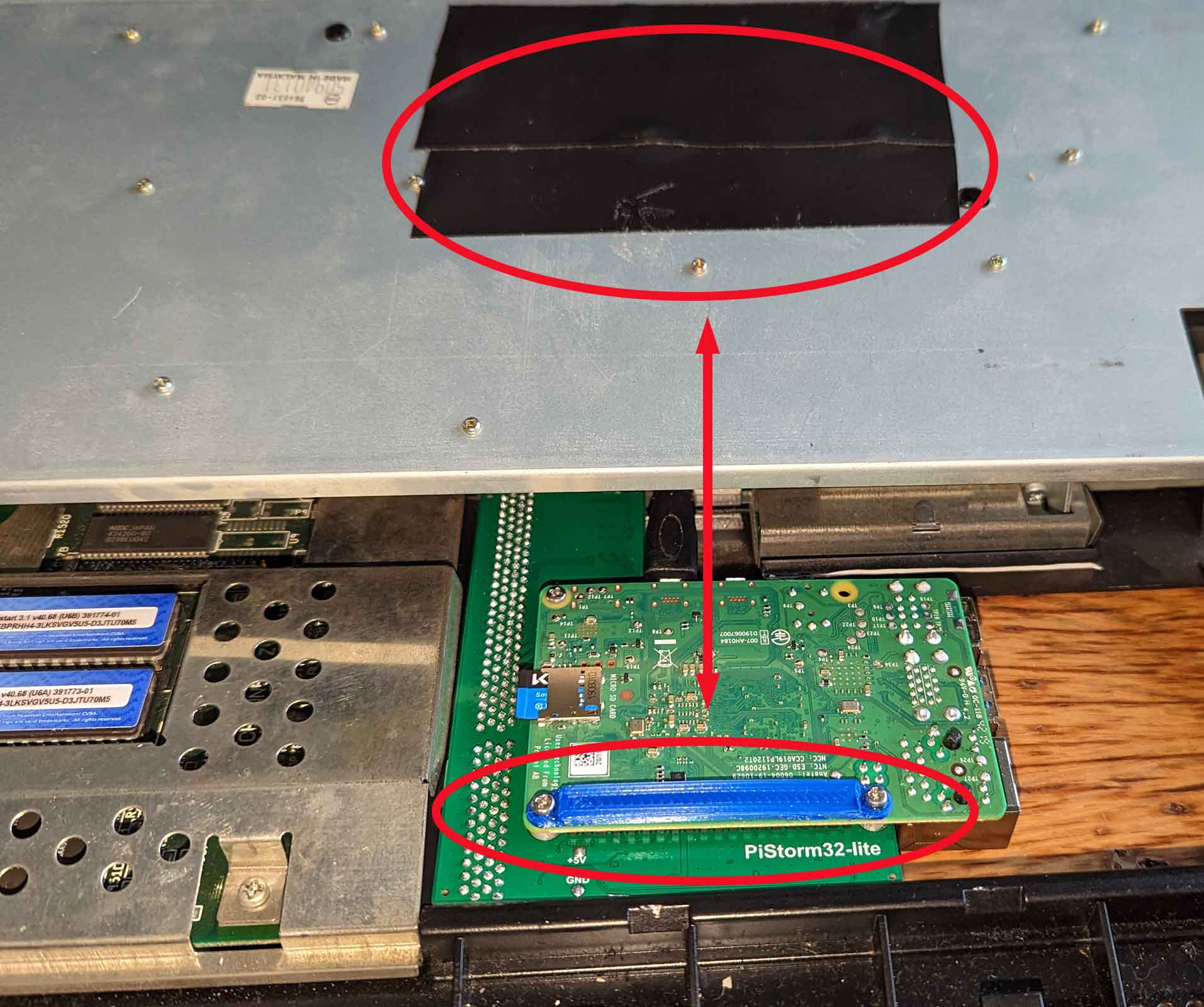
Verdict:
I love it.
It's clear that this is THE future of Amiga accelerator cards.
Yes, it still has it's flaws, but things are progressing rapidly and everything is open source.
What a big contrast with those other fast Amiga Accelerator cards ...
I must say one of the first thoughts in my head when testing the piStorm was "Ouch ... this means game over for Apollo"
with the PIStorm delivering 4 times the performance at a quarter of the price of those other cards, it pretty hard to justify getting an IceDrake or a TF1260 ...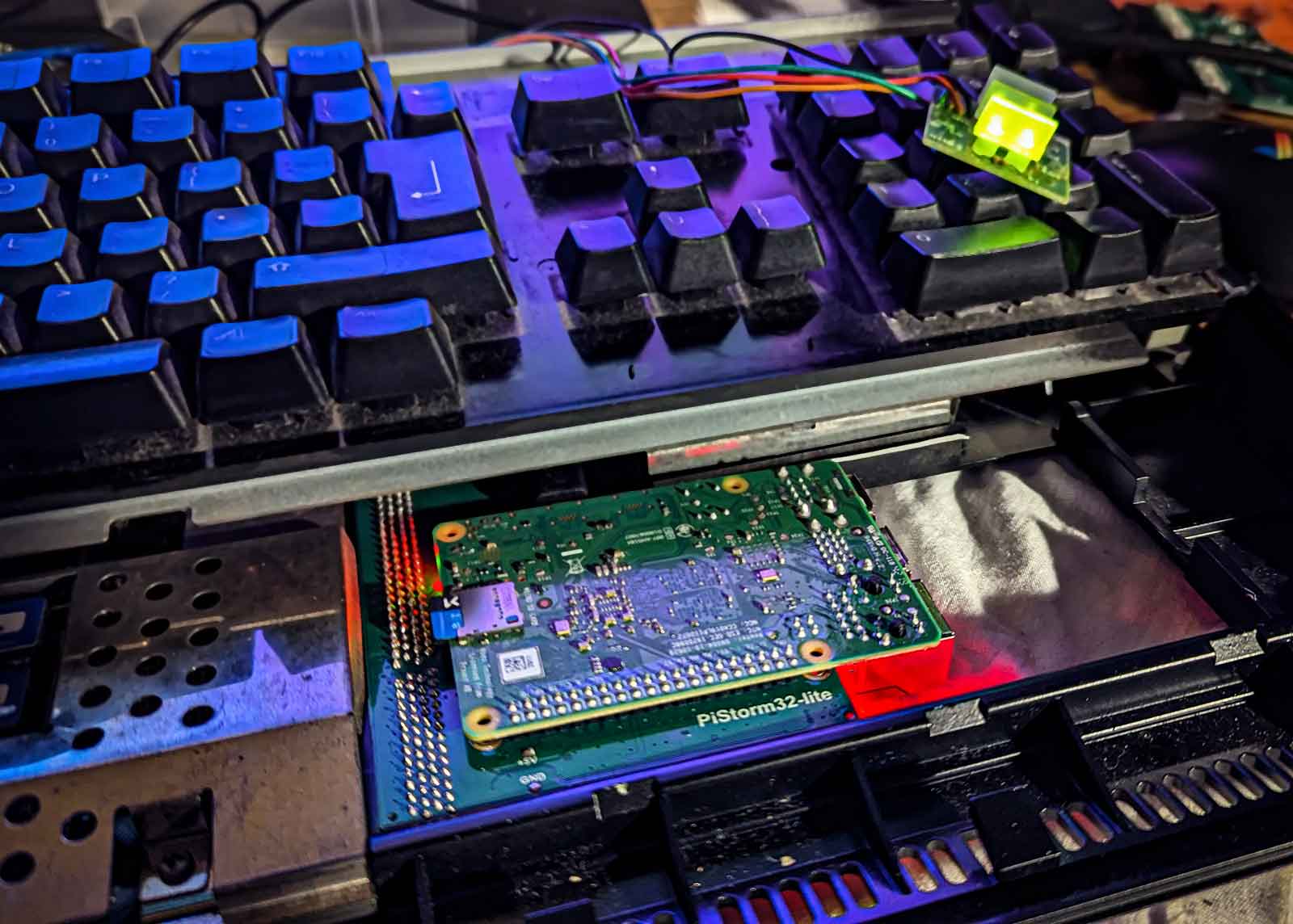
What I like:
- Insane performance, especially at that price point. At this moment it's simply THE fastest classic Amiga ever.
- Can be easily disabled to revert to stock hardware
- It's still "just a PI": pop in another SD card and you boot directly into the PI to do non-Amiga stuff
- easy file transfer between Amiga and PC/Mac using the SD card.
- All configuration and monitoring available from the Amiga side.
What could be better:
- Switching between RTG and Classic display modes is still a pain
- the ususal cable/port extension issues if you want to access the PI ports from outside the case
- Still some compatibility issues with older "hardware banging" software
Excellent excellent work by Cédric, Claude, Michal and many others.
If you like the project, please consider becoming a Patreon of Michal and/or voicing your support on the PiStorm Discord channel
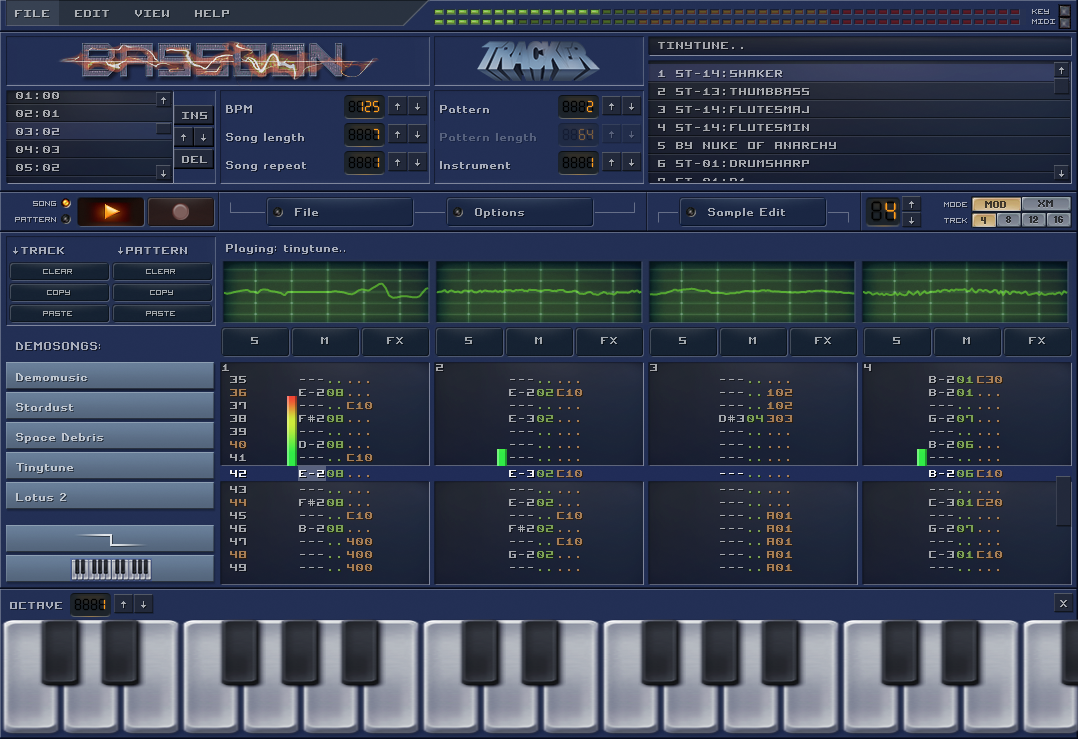
BassoonTracker Release 0.4.0
Kiss-catalog
Presenting a new (small) project.
Kiss-Catalog!
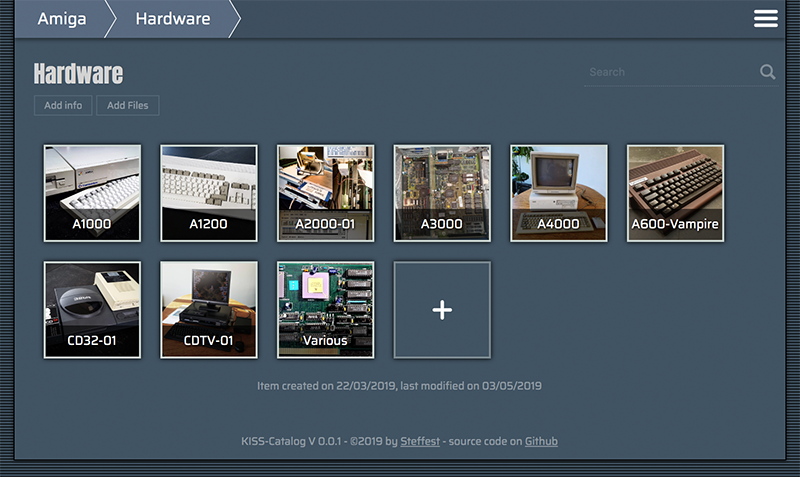
It's an insanely simple Catalog System to keep track of your collections.
Some context
People who know me know I'm a bit of a collector.
Ok, some call it "hoarder" but I call it collector.
The difference between a collector and a hoarder is that the former knows what he has and keeps everything in good shape.
Still ... my retro computer collection is growing towards a point where I don't know exactly what I have anymore, or - more frequently - where I put it.
Questions like "I know I have this Amiga accelerator card, but ... where the heck is it?" need answers.
There's a ton of software already out there to help with that but I wanted something super-super-simple and with some very specific features.
As experience taught me: If it's too hard to maintain, it won't be.
Goals
- Simple simple simple to maintain
- Accessible from anywhere (which in my case always translates to "web based")
- Everything should be searchable/browsable to quickly locate an item or to quickly show some overviews
When you start googling or asking around you get responses like. "Oh, an SQL database is what you need" or "There's an app for that, I use Collectorz or Numento"
No, no, no, nonono - been there done that. This is not my first attempt at cataloguing.
All other attempts stranded in
- OR complex systems that took forever to maintain
- OR external platforms that ceased to exist...
Did I mention it should be simple?
So: no database, no third party software, no fancy stuff.
Plain files and folders, plain JPG and .TXT files.
The concept:
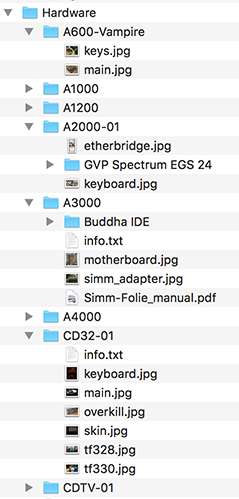
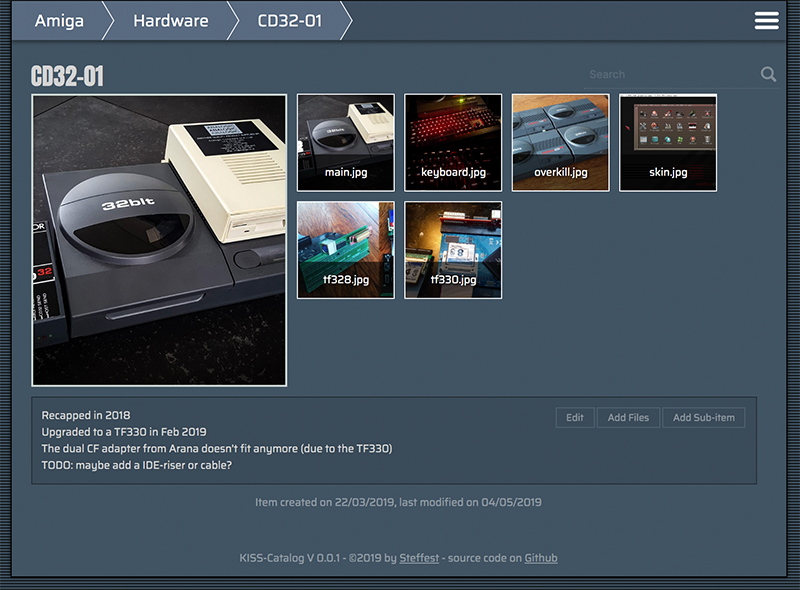
You structure your collection in folders. Each folder can contain files and subfolders that further describe your item. Info is stored in plain text files. Images are stored in .jpg or .png. Any other file you add is just regarded as "file".
Then, a script is run that pulls all these files into data-structure.
This .json file is used to display a webinterface with browse and search features.
When you edit/add content from the webinterface, the local files are changed.
The "database" is always being generated from the local files. This means your data is your data: it lives in your folder as plain text files, completely outside Kiss-catalog.
If you stop using Kiss-catalog and delete it from your system, your hard cataloguing-work is not lost.
The main info file is called "info.txt"
The main image of an item is called "main.jpg"
If you want to display your collection on the web, simply put all your static files on a webhost.
No database or serverside processing needed.
That's it!
Everything runs
- BOTH locally and remote
- BOTH as a static website and a somewhat full-featured dynamic Content-Management System.
There's a small demo collection at http://www.stef.be/collector/amiga/ (read only)
Still starting to populate it, first I have to FIND all stuff :-)
And of course: Open Source and everything.
It's made for personal use, but you're free to give it a go. Feature requests are welcome.
It runs one Node but if that doesn't ring any bells there are also pre-compiled binaries for Windows, Mac and Linux
Drawbacks
These "design" decisions have some drawbacks:
- Flat file "databases" only go that far, if your collections is reaching like a 100.000 items, Kiss-catalog is not for you
- Because everything is generated from your local files, this might get slow with large collections. Also there's no image processing (yet) so all images are displayed "as is" : if you fill everything with 4K images, loading will be slow.
- If I ever want to add features like "private files or folders" or whatever - I will probably have to settle for some naming scheme.
- Likewise for "calculated" fields like prices etc. some convention will be necessary.
The Philosophy
I've been pondering the last few months (years?) over something I call "sustainable software"
It's probably not a new concept but that's what I call it in my head.
Basically it means that a developer should write software that is as simple as possible for the job.
Not because simplicity is a goal in itself, but because simple software lasts longer.
It's easier to maintain, consumes less resources, runs faster, ...
Developers should write software to last.
It's all too easy to quickly throw something together using the funky libraries and frameworks that today are considered "modern". Before you know it you're lugging along a staggering dependency tree and rely on a multitude of online services to get your thing built/compiled/deployed.
Yes, you're the cool kid on the block, but how will it look in a few years? Will it still build/compile/deploy?
If it's a fairly simple web-app, do you really need that 2 MB javascript package, 7000 lines of CSS and 4MB initial page load? Maybe ...
In this project "sustainable software" means:
- no exotic or platform dependent file formats. plain text RULEZ
- no external (web)platforms: it's the only way to make sure your data is still there in a few years time.
- no code dependencies. again: it's the only way to make sure your system still runs in a few years time.
- platform independent. everything should run on - and be maintainable from - whatever device you use.
Anyway - that's food for maybe another blog post - don't get me started on frontend builds that pull in ONE MILLION packages and takes 20 minutes and 8gig to build ...
For now: Happy Cataloguing!
Tags: Commodore Amiga, in English, ProgrammingGeef je reactie (0)
The bigger plan of my Amiga-Javascript projects
The past years I have been slowly tinkering on various Amiga Projects.
Mostly in JavaScript, mostly to unlock various parts of the huge Amiga ecosystem: parsing ancient filesystems and fileformats, reading and writing Amiga files with new tools, ...
Slowly all these various tidbits are coming together in the big plan: to break the Amiga out of it's emulated container and to seamlessly integrate in a modern OS.
That modern OS is platform independent. It runs on everything and it is accessible from everywhere.
For me, this translated to an OS that is web based. It runs in your browser and it lives in the cloud.
There have been many approaches to such an OS, some of them - like FriendUP - clearly have their roots in the Amiga system.
One of the most interesting ones is Amibian.js. It's also inspired by the Amiga and it runs in javaScript: Node.js on the backend, browser in front.
I've been talking with Jon - the creator of Amibian.js.
It's a HUGELY ambitious project, ranging from custom compilers in various programming languages to a recreation of an Amiga-like OS, complete with compatible system library calls and more.
When doing a modern Amiga inspired OS, one of the big questions is how you handle legacy software.
The Amiga has an old but super mature ecosystem of programs but sadly all that software doesn't run anymore on modern systems.
The solution is to emulate that old hardware so you can still run all that old software.
The most used Amiga Emulator is WinUAE, a glorious and ultra-advanced piece of code.
Rupert Hausberger did the daunting task of porting it to javascript.
The drawback of emulating an Amiga is that it is a contained black-box system that has no knowledge of the larger system it's running on. WinUAE handles this quite elegantly by allowing a shared filesystem, but in your browser there's no such thing.
This is where I stepped in: an emulated boxed Amiga running in your browser is cool, but wouldn't it be even cooler to break it open?
You could use Amiga software to seamless edit/play your local files,
or launch modern non-Amiga tools from within the Amiga,
or compile a program for Amiga with today's tools and launch it directly on an emulated 68k CPU
or ....
All this directly available on whatever system you use and wherever you are.
In the end, the underlying technicalities shouldn't matter.
It shouldn't matter what OS a program was written for, or where your files are exactly, or even who's physical machine you are using. Just launch your space and mold it to your liking.
Amibian.js already tries to break the barriers between the browser and your local system.
Browser or native? It shouldn't matter.
I will gladly help and try to break the barriers between the emulated environments and the native ones:
Emulated or native? It shouldn't matter.
The top video is a first demo of the progress. It shows various aspects of building such a system.
Most notably a shared filesytem so both systems (emulated and native) can access the same files.
Everything you see is running in the browser.
The (emulated) Amiga is on the right, the host system is on the left.
We're still doing babysteps: trying out stuff and laying the foundation for the bigger plan.
The concept is always the same: a seamless integration where it doesn't matter anymore where your files are or on what platform your program is running on.
Tags: Commodore Amiga, in English, Programming, Scripting, TinkeringGeef je reactie (0)Bassoontracker - Release 0.3.0 is out!
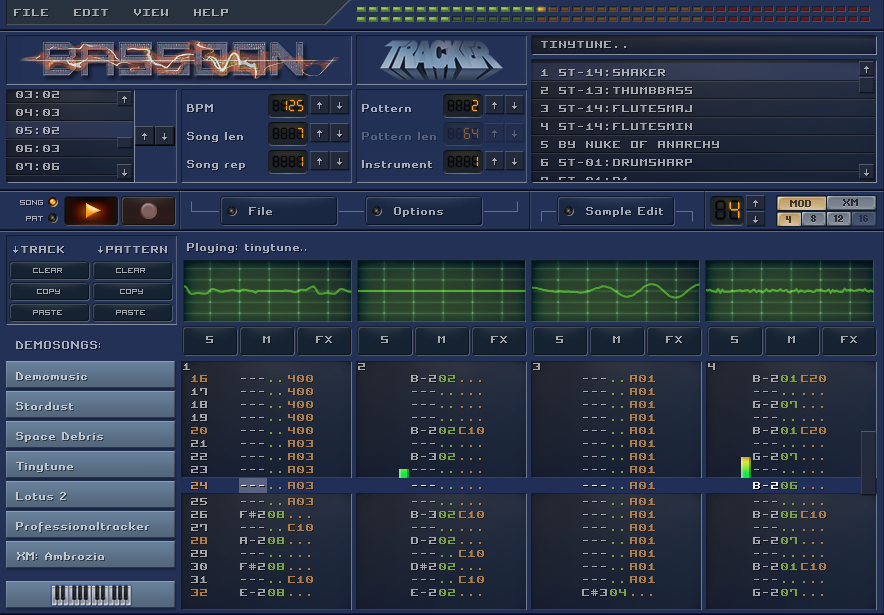
During the past months I have been tinkering along on Bassoontracker - My browser based Retro Music Tool.
Today, it's ready for a next big release: Version 0.3.0 is out!
The most important feature is full FastTracker 2 compatibility. Yeah baby!
Fasttracker II was a music creation tool for DOS, released back in 1994 and it became THE standard for a long time for tracker based music.
1994 was also the year that Commodore went belly up, pulling the Amiga with them, so a lot of Amiga musicians made the jump to PC around that time, finding Fasttracker 2 as a perfect successor to Protracker.
Fasttracker is quite a bit more complex then a simple "sequencer". It added proper "Attack Decay Sustain Release" to instruments making them sound far more natural and supported 16 bit samples, a huge step up in quality.
Up to 32 channels are supported, 128 instruments, 2 concurrent channel effects and much much more ...
That was fun to implement!
Other big changes are:
- Dropbox integration: Load and save files directly from/to your Dropbox
- Enhanced Sample editor: Slice and transform your samples directly inside BassoonTracker
- Enhanced Pattern editing: use ranges and cut/copy/paste for quick editing
- Export your song to .wav or .mp3
- LOTS of fancy UI updates
And all that still in plain old javascript with ZERO dependencies.
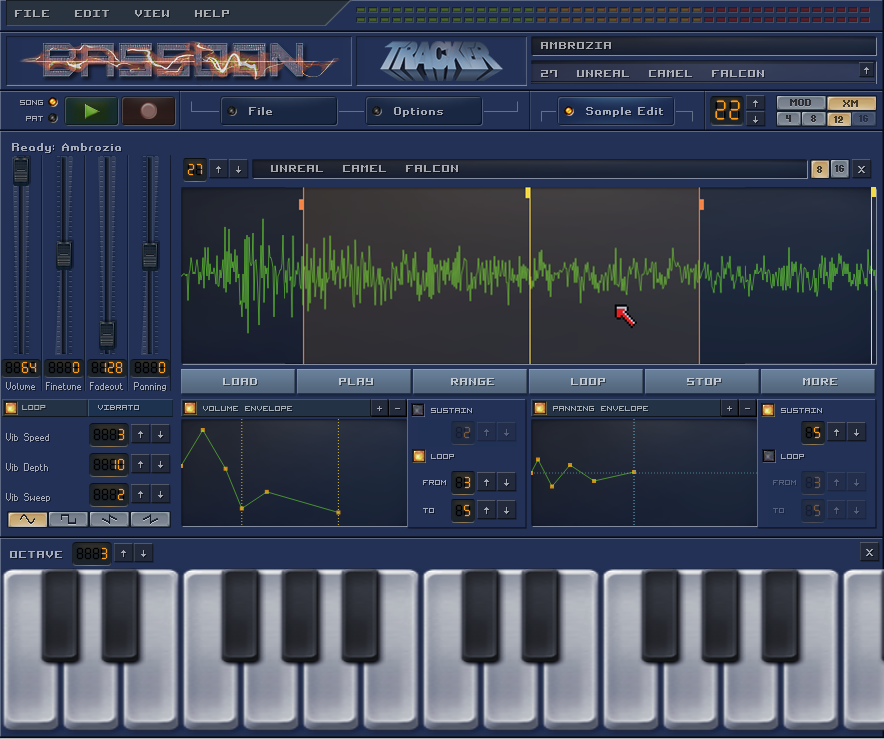
During the years many thousands of music tracks have been made and you can access them all through the build-in Modarchive and Modules.pl browsers. (Which now have been expanded to include FastTracker .xm files too)
The playback engine has gone through extensive compatibility testing but if you find a module that doesn't sound the way it should: drop me line.
More info and full source code on Github:
Or check out the live demo on https://www.stef.be/bassoontracker/
Amiga CD32 Workbench Skin in 16 colors
So .. after 25 year there's a new update for the Classic Amiga Operating System.
yes, that's right: TWENTYFIVE YEARS after AmigaOS 3.1, there's now Amiga OS 3.1.4
That's nothing less then a small miracle.
25 years in computer land is like 12 gazillion years in normal time.
Recently there a big revival for Amiga computers with a lot of very interessing projects being done by enthusiasts - new software - new hardware ... the works!
The 'Official companies" are still plotting along - if they take a short break from suing each other, that is - but the most interesting ones are pure community projects, created out of pure love for the platform.
A VERY interesting one is the Terrible Fire 328 : an expansion card for the CD32 with extra ram, video out and an IDE interface, usually used to attach a bootable CF card.
Long story short: the TF328 transforms the CD32 in the coolest of all Amiga's.
But .... that new Workbench 3.1.4 still looks a little dull.
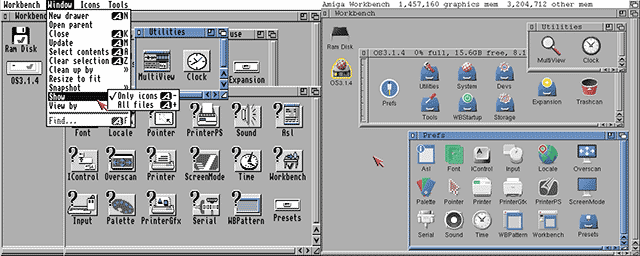
On the left is the default installation (4 colors) - Mason did create some new icons and after some copy commands it looks likt the picture on the right.
Already much better.
However ... the CD32 looks like this:
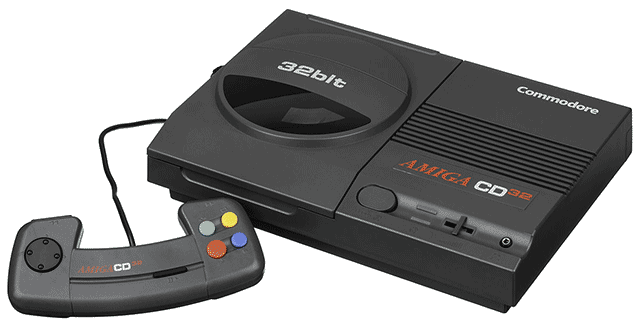
That mundane light gray and blue theme is really much too mundane for it's black and red looks.
The challenge is that this is a machine from 1993 and it's doesn't have the super fast graphic cards of today with millions of colors on 4K displays.
Allthough the Workbench can display up to 256 colors at the same time, that mode is too slow to be practical and it's more sane to only use 16 or 32 colors on a resolution of 640 on 480 pixels.
The even bigger challenge is that these colors are shared amongst all applications so each application has to adapt its colors to the ones available.
You can lock some colors (for examples for your icons) - and the other free colors can be free asigned - or battled for - by other applications.
So ...
I made a custom WorkBench theme - especially for the CD32.
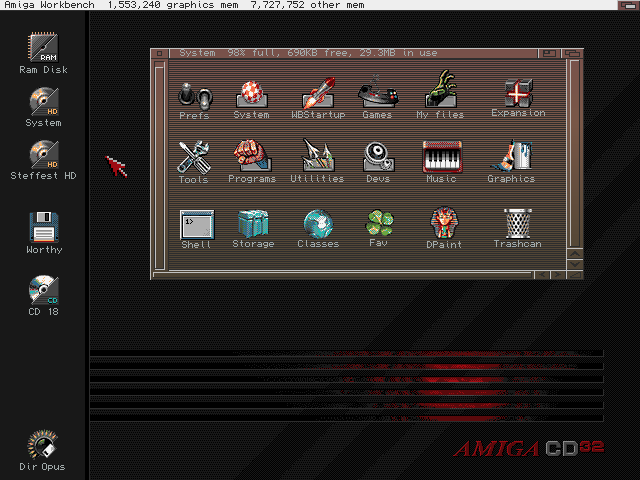
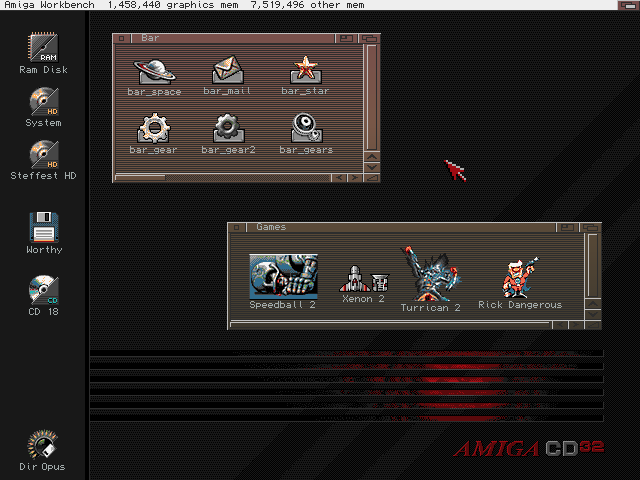
16 colors (and Copper Demon for the window gradients)
Made for square pixel screen modes (Pal hires laced e.g.)
This is the Palette:

Although it's possible to run this in a 16 color WorkBench, it's recommended to use at least a 32 color screenmode.
That way you can also set the MUI colors and still have some pens left for other programs.
Color Locker and Border Blanker recommended!
Workflow:
- First made in Photoshop,
- then color-reduced with (the super awesome) http://tool.anides.de/
- then cleaned up and re-dithered by hand back in Photoshop
- then cut out the icons and saved as NewIcons with Personal Paint on the Amiga
Everything is downloadable from here.
Some extra wallpapers and a description how to install are also there.
That was fun!
Steffest
Bassoon Tracker
Presenting a new project:
Bassoon Tracker!
It's a Browser based old-school Amiga Music Tracker in plain old javascript.
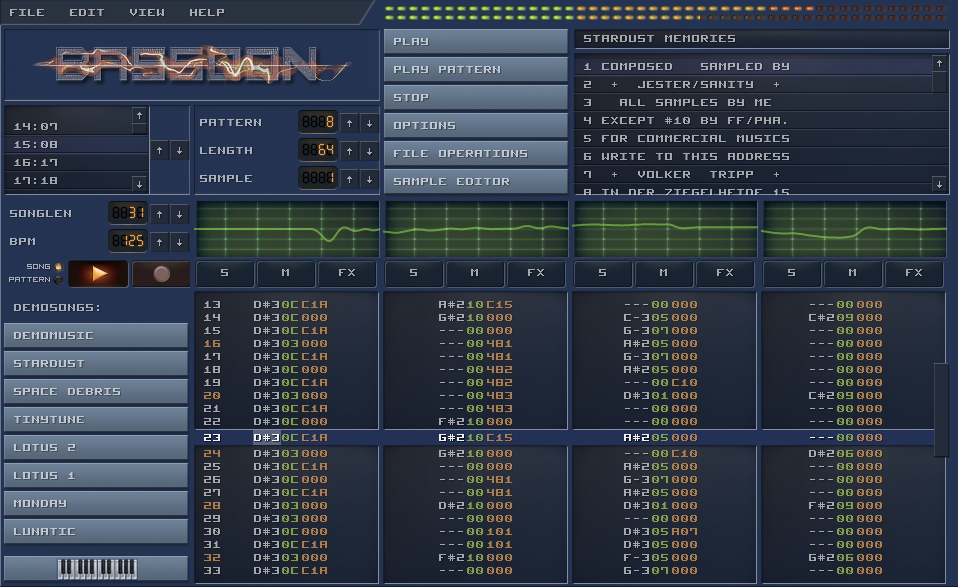
If you have ever heard of Protracker or Fasttracker, then you know the drill,
if not, then you are probably too young :-)
Check it out at http://www.stef.be/bassoontracker/
Tracker music originated way back in 1987 on the Amiga computer.
This was an era where PC's only made bleep sounds.
Even as the Atari could produce some funky chip sounds, then there was this all-singing-all-dancing Amiga machine that could produce 4 channel wave-audio.
Ok, it was still 8-bit sound, but suddenly everybody could access a digital music creation tool for an affordable price where previously you would have to spend a fortune on hardware samplers and midi interfaces to get the same possibilities.
My first sampler I soldered myself: You could plug it into the parallel port of the Amiga to "record" analog audio signals into 8-bit samples. It produced very low quality samples, but ohh... the wonder of it all!
It also was en era where user interface design was non existent so yes: the interface is a bit ... "special" :-)
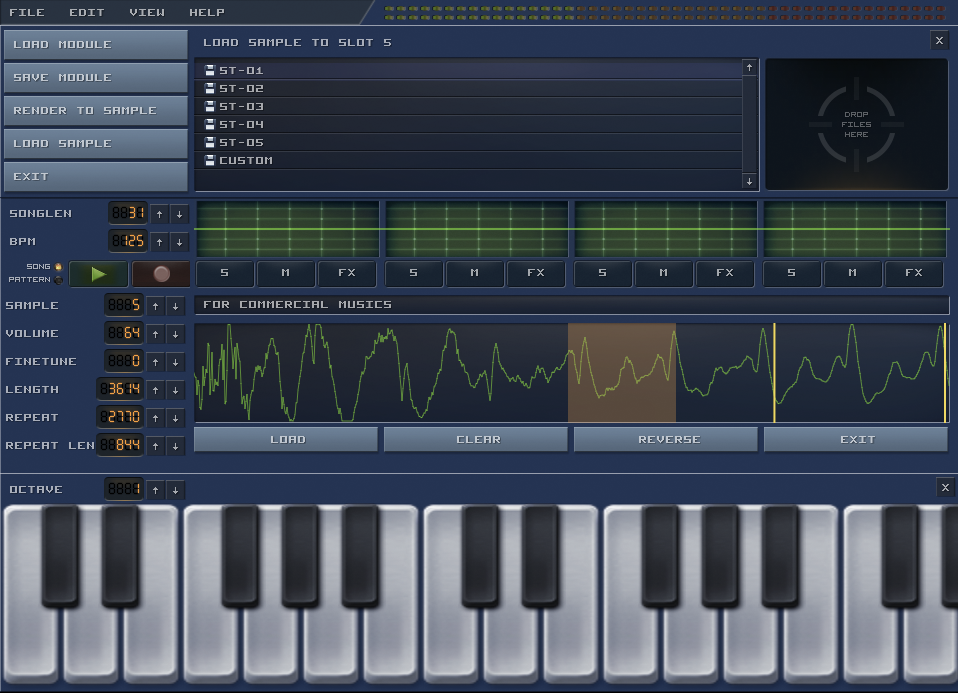
Tracker programs where made by developers for developers: You don't enter notes on a musical bar, you enter notes as numbers in a grid with your computer keyboard and you apply effects by entering even more numbers.
All in hexadecimal of course, as plain decimal number are for pussies.
I especially like the format because you sort of get the sheet-music AND the instruments together with the song.
If you hear a cool piece and go like "Wow, how did they do that?" you can jump right in and examine what samples are used and what effects are applied.
It's like an open-source music format where you can do a "view source" to see exactly how it's done and fiddle with it, much as you can do with any website or web application.
Just like much of my early javascript and css knowledge was build by inspecting the source of other applications, much of my early musical knowledge was build inspecting mod files on the Amiga.
The golden age of the Amiga is long gone, but the tracker format lives on. There have been countless spin-offs and remakes.
Even in modern audio software like Renoise, Radium and Sunvox the tracker spirit is present.
And of course there's openMPT: It doesn't have a cool and snazzy interface but it's the most compatible and complete true tracker around.
Remember: these are not just mp3 files you hear, the music is reproduced using samples that are played and manipulated in sequence in real-time.
This is why mod files in general are quite small, making them perfect for (early) games and other projects where file size is important.
Even the super popular Unity game platform still has support for tracker formats
Playing mod files in a browser is nothing new, but still I wanted to create my own tracker for the following reasons:
- I wanted to research Web-Audio, especially real time audio manipulation.
- I wanted a real tracker where you can open, edit and save mod files, not just a player.
- It should perform well on mobile browsers.
Most mod players don't work that well on mobile browsers.
They tend to implement a very low level way of handling audio, doing the resampling and mixing all in the javascript layer, maybe because the code is ported or recompiled from other platforms.
I took a high-level Web-Audio approach which makes it perform really well on mobile browsers. Even if the UI slows down, the music should never stutter. - I wanted to build a SCALABLE cool retro user interface.
Most old-school trackers have a fixed size user interface.
I wanted a pixel-retro interface that scales with the screen.
You could call it "responsive design" but then for HTML canvas :-)
That's a pretty cool feature even if I say so myself! - I wanted to have a decent music playback engine to be able to build upon: a drum-sequencer? a midi-player? real-time online collaboration? all rather straightforward once the main playback engine is in place.
Anyway - here are some examples!
- Startdust Memories - By Jester
- Guitar Slinger - By Jogeir Liljedahl
- Space Debris - By Captain (Markus Kaarlonen)
- Title track of the game "Lotus Turbo Challenge 2"
- Professional Tracker - By H0ffman and DayTripper (Watch the pattern animation on this one)
Even more?
The ModArchive hosts thousands of tracker songs and they have an API so you can directly access them from within Bassoon Tracker.
The source files are available on GitHub.
Have fun, and if you think of any cool feature you're missing: let me know!
Physical buttons for your Sonos
I totally love my Sonos system.
The Sonos players are expensive but they are worth every penny and i haven't regretted any of my Sonos purchases for a minute.
There's one thing missing though ... hardware buttons!
Even as a smartphone or tablet to control your appliances is perfect (remember 2009?), sometimes you just don't have your smartphone ready at hand and you find yourself hunting for your smartphone to control your Sonos.
Yes, each Sonos has some hardware buttons, but they are only used to play/pause the current song, or to adjust the volume of that particular player.
Enter D.I.Y.
I'm a big fan of old tube-based radio's. If they are not too far gone they get repaired, otherwise they just look cool.
One particular little radio-bugger was beyond salvation and received another purpose: controlling the Sonos with some presets, volume and play/pause with its old-school tactile click-clack buttons.
The final contraption looks like this: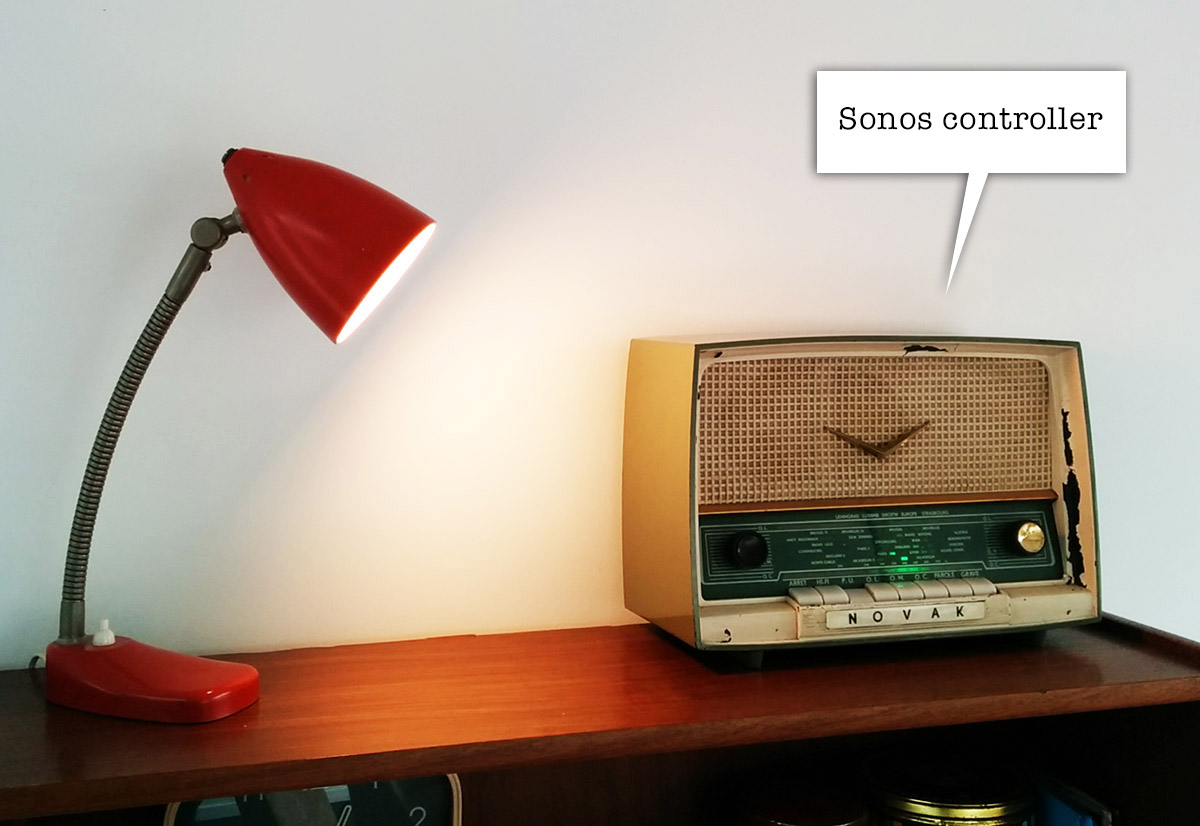
very incognito. looks like a radio, no?
On the inside the buttons are wired to a little Arduino.
When you press a button or turn the volume knob, one of the digital or analog inputs of the Arduino is activated, allowing you to define a resulting action in software.
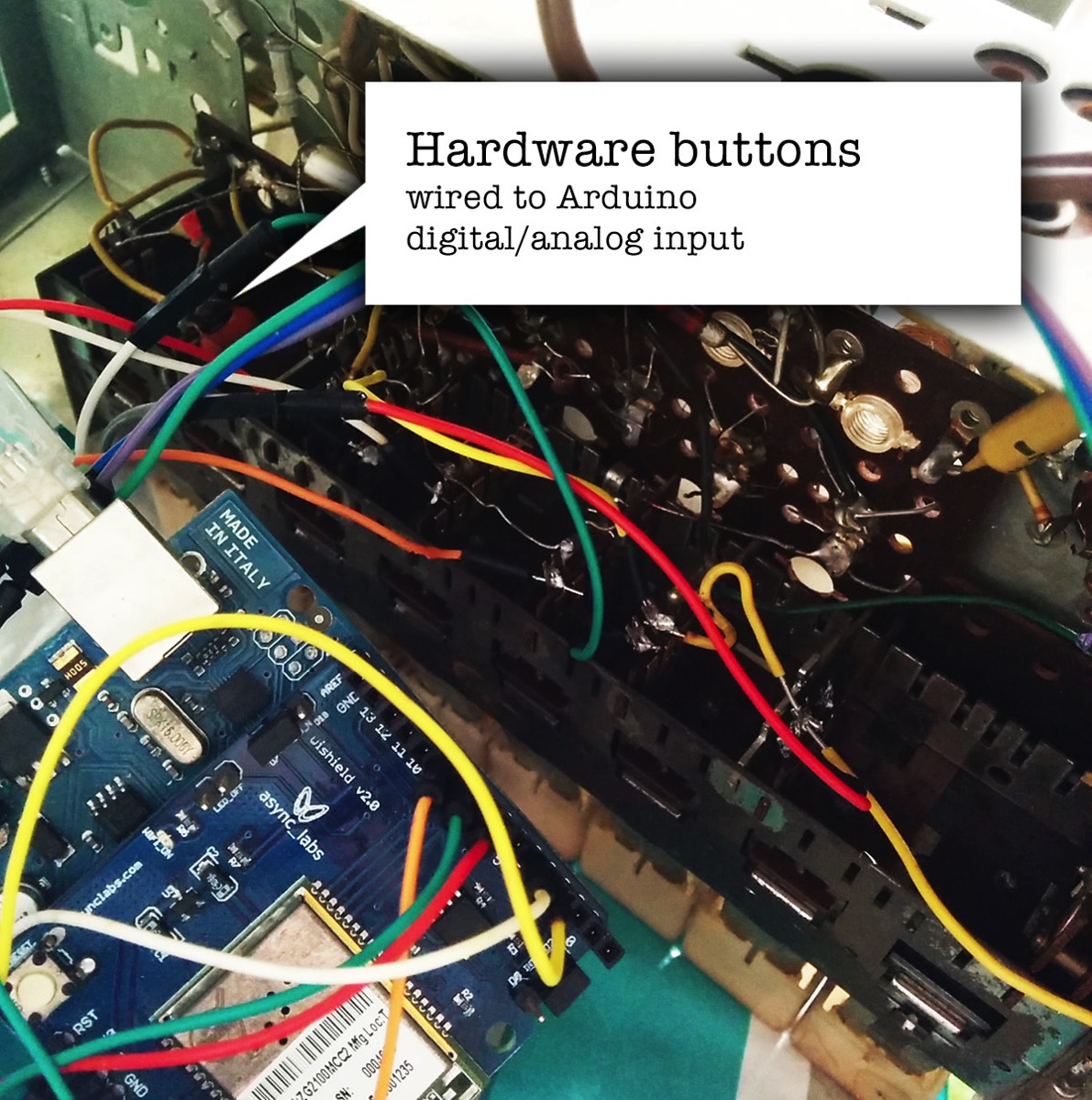
There's a little WiShield attached to the Arduino allowing it to communicate over wifi with other devices.
Although it's possible to talk to the Sonos devices directly using the UPnP protocol, it's easier to use a some sort of middleware like the excellent Sonos Http Client by Jimmy Shimizu .
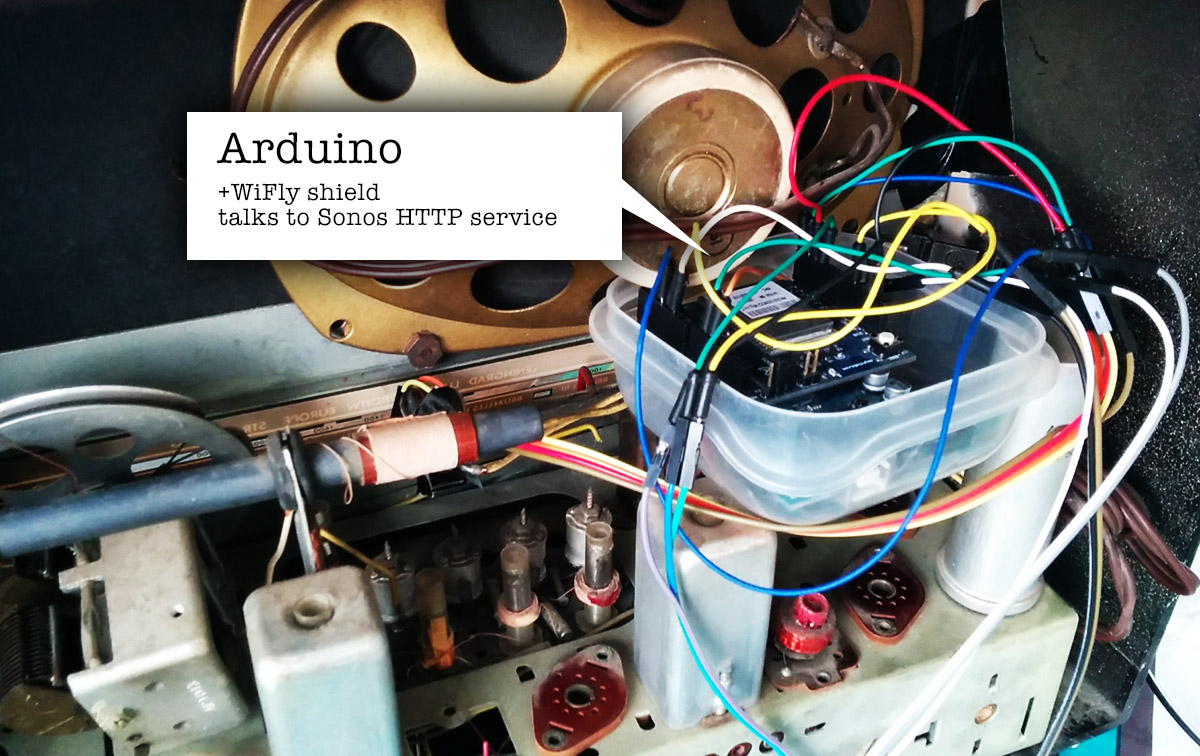
The WiShield is rather old in terms of IT-gadget-age and its libraries are not compatible with the current generation of Arduino IDE.
I had to patch them a little to make them work on Arduino 1.x and up. You can find my fork here.
The little Arduino sketch that controls everything is also on my GitHub.
A little status led completes the setup, giving some feedback on your actions.
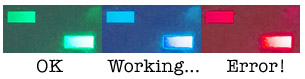
With the radio buttons i can now activate the 5 presets we use the most, change the volume of the grouped sonos speakers and pause/play everything.
The presets are currently 3 radio stations (Studio Brussel, Radio 1, Radio Nostalgie), the Spotify favourite list (starred tracks) and a random Spotify playlist.
Due to some wonderful coincident the labels of the buttons also EXACTLY match the preset they trigger:
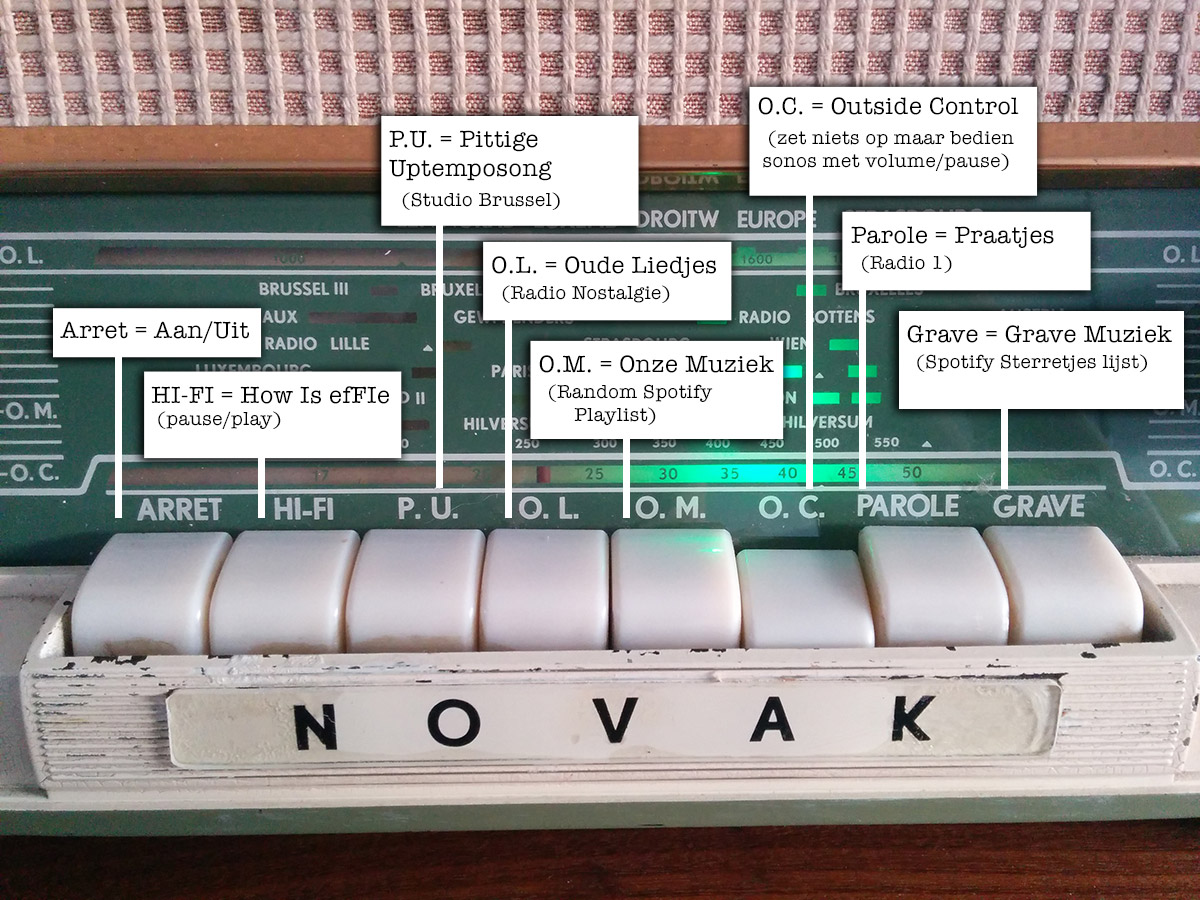
How convenient!
The concept is a bit hard to explain to people who don't have a wireless speaker system.
Most of the time they just stare blankly and go
"Uhm ... so you've build a radio that you can use to ehm ... turn on the radio? ... Ok ... cool ..."
Exactly!
Just like software controllers as Ableton Live end up up creating matching hardware controllers with LOTS of buttons, let's hope this is the start of a trend.
There's nothing like the feeling of pressing a big chunky button down and make it go *CLACK* , far more satisfying than using the non-tactile buttons of a touchscreen controller ... .
Hmm, I still have this thing somewhere in my garage ... what still needs controlling?
Tags: Arduino, in English, Programming, TinkeringGeef je reactie (3)